EasyManua.ls Logo

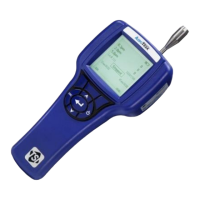
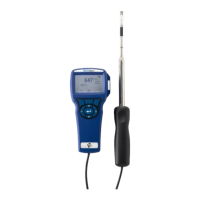
TSI Instruments 9600 Series - User Manual

TSI Instruments 9600 Series
61 pages
Print Icon
To Next Page IconTo Next Page
Loading...
VELOCICALC
®
/
VELOCICALC
®
PRO
AIR VELOCITY METER
MODEL 9600 SERIES
OPERATION AND SERVICE MANUAL
P/N 6016122, REVISION A
DECEMBER 2021

Table of Contents

Questions and Answers

  • J
    Jill LeachAug 11, 2025
    What to do if my TSI Instruments 9600 show a memory full message?
    • M
      Michael StewartAug 11, 2025
      If your TSI Instruments Measuring Instruments show a memory full message and cannot log more data, it means the memory is full. If you want to keep the data, download it first, and then DELETE ALL memory.
  • L
    Lindsay HartAug 21, 2025
    Why is there no display on my TSI Instruments 9600?
    • A
      Amy WashingtonAug 21, 2025
      If your TSI Instruments Measuring Instruments are not displaying anything, it could be due to several reasons: * The unit might not be turned on, so switch it on. * The batteries may be low or dead, so replace them or plug in the AC/DC power supply. * The battery contacts might be dirty, so clean them.
  • W
    wilsongaryAug 31, 2025
    How to fix unstable velocity readings on TSI Instruments 9600 Measuring Instruments?
    • J
      joseph65Sep 1, 2025
      If the velocity reading on your TSI Instruments Measuring Instruments fluctuates unstably, it may be due to fluctuating flow. Try repositioning the probe in less turbulent flow or use a longer time constant.

TSI Instruments 9600 Series Specifications

General IconGeneral
BrandTSI Instruments
Model9600 Series
CategoryMeasuring Instruments
LanguageEnglish

Related product manuals