Demand Setting
The voltage and current demands, together with OVP limit and the pseudo-analogue outputs are
generated by a digital to analogue converter IC105 together with analogue switch IC106 and a
series of sample and hold circuits. For each of the 5 channels the setting consists of a both a
setting of a DAC reference and a value setting. Consider the voltage demand as an example. First
the processor sets the analogue switch IC104a directly across IC103 and sets IC106 to connect to
IC108a. Writing a suitable value to the DAC sets the reference for the next conversion. The
processor now opens the switch to the input of IC108a so that the setting is held. Next, switch
IC104 is switched so that R119 and R120 in circuit. This gives the correct reference for the demand
to be set. Now the processor writes the correct demand to the DAC and once it has had time to
settle, the output is switched via IC106 through to IC108b where the demand is held on C113. This
whole process is repeated in a similar way for each of the 5 channels. Note that the voltage
demand channel ‘Volts Set’ and the current demand ‘Amps Set’ have additional filtering to prevent
large over/undershoots when the demand is changed.
Measurement
The system accurately measures the output voltage and current and also external demand signals
for pseudo-analogue control. This is achieved via IC402, an analogue to digital converter. IC101a
provides a clean, buffered reference. This chip communicates with the processor via an SPI bus.
OVP
IC107c provides over-voltage protection. It compares the OVP limit, set by IC108d, with the output
voltage. When the output voltage becomes excessive it latches, pulling the voltage demand to zero
via Q111 and Q112. The processor can reset the latch via Q113.
Remote Sense
RL100 selects between remote and local sensing controlled by the processor via Q109. Q106 and
Q107 sense excessive drop down the sense cables, indicating a sense fault to the processor via
Q105, if appropriate.
Logic in and Logic Out
The system has input and output logic signals which communicate with the processor via buffer
transistors Q100 and Q101.
Keyboard
The keyboard processor IC2 acts as the system master initiating all communications within the unit;
it is programmed in-circuit using the standard JTAG port accessed at PJ3. PJ9 and PJ10 provide
the connections to the other boards in the system; Q2 and IC5 enable the processor to pull down
the data line, allowing it to go high only if none of the processors in the system want to pull it low.
The firmware operates a master-slave system to ensure there are no data clashes.
The board is supplied with 5V from the PFC board via PJ4. This is used to generate a local 3.3V
supply (IC4) and 1.95V supply (IC3). IC7a, together with Q1 and associated components, provide a
current source for the display LED backlight. IC7b and associated components provides a crude
under-voltage detect to ensure the processor starts and shuts down cleanly. IC6 is a simple latch
for the LEDS and the keyboard is scanned directly by the processor: this is a quiet scan that only
scans when keys buttons are pressed or released not when the keys are left open or held down.
The diodes D1 to D4 allow the processor to use some pins for two purposes (key-scan and LED).
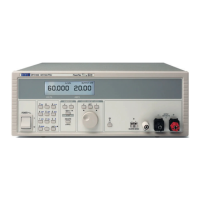
The display is a 240x64 pixel LCD mounted directly on the keyboard PCB and connected via PJ6.
The display contains its own voltage multiplier to generate the required bias levels; the switched
capacitors and decoupling are provided directly on the pins of the display connector.
15


 To Next Page
 Loading...