Different Step Lengths and Angles
Pro-Bot is not limited to 25cm steps and 90º turns. To go different distances and
angles, simply use the same commands you are used to but add the number of cm or
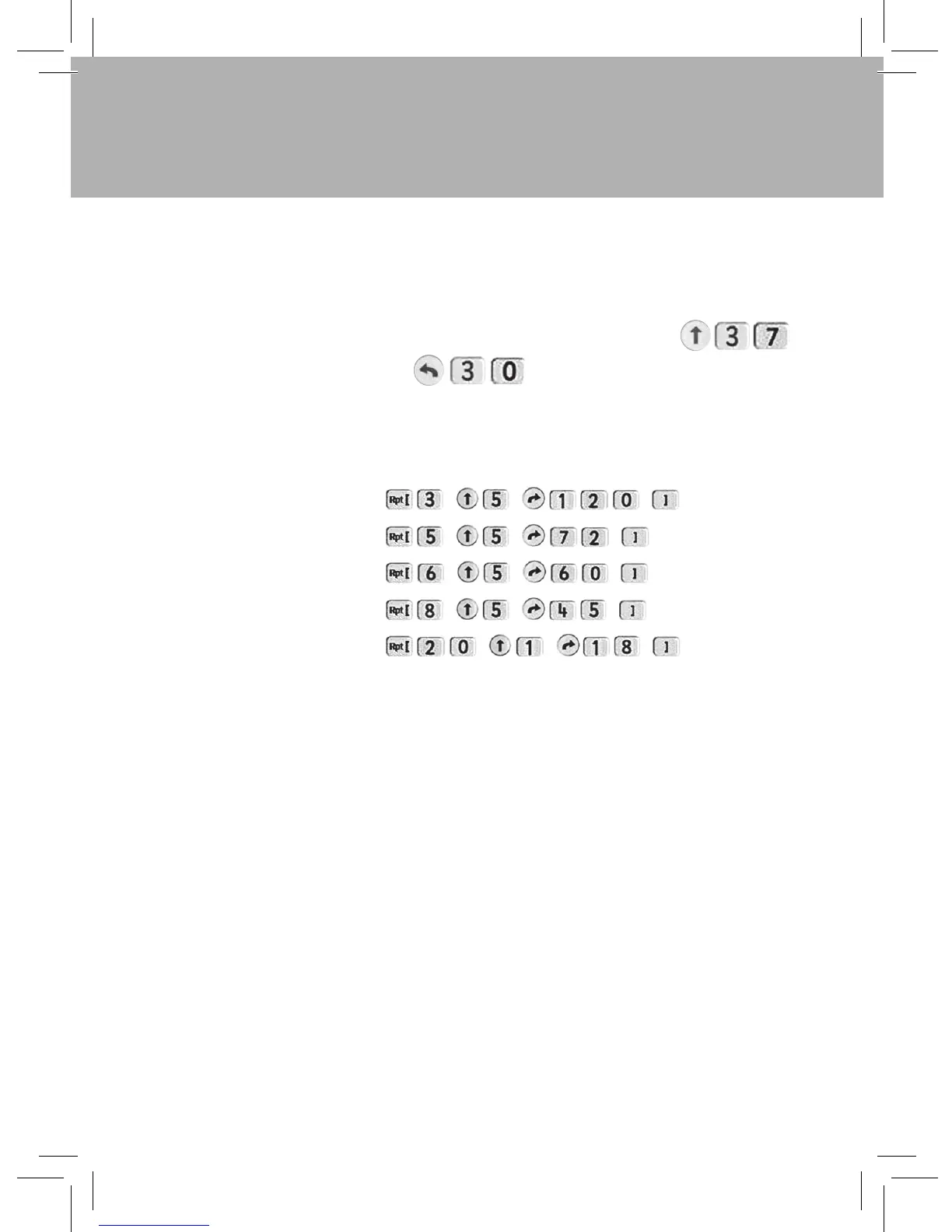
degrees afterwards. For instance, to move 37cm forward, press:
To turn Pro-Bot left by 30º, press:
Using the number keys and the repeat loops, we can make Pro-Bot trace out more
complex regular polygons, using the same program structure as before, but with
changed numbers and 5cm sides. For instance:
TIP: To work out how many degrees to turn, divide 360 by the number of sides in the
polygon. So a nine sided nonagon would need to turn by 360/9 = 40º at each
step.
Triangle:
Pentagon:
Hexagon:
Octagon:
Circle (approx):
9
Pro-Bot
®



 To Next Page