Power On
Turn on the power by pressing the power button for 2 seconds. Once it is on, the unit begins to
auto-check and count down from 0-9 before entering the weighing mode
Note: Anything on the scale before powering on will automatically be tared out.
Zero
Zero is only used when the scale is supposed to be empty
Pressing the ZERO key will reset your scale to 0
Depending on what your manual zero range parameter is set to, you can zero out any number
within the range, after that you will receive an error and will need to tare out the weight
Unit Selection
To switch between measuring units (lb/kg or lb/kg/g/oz/lb:oz ) press the UNITS key
Tare Function
Tare is used when you only wish to see the current change in weight, not the total weight
When the indicator is in gross mode (gross light is shown) pressing the TARE key will Tare the
current weight on the scale and enter the net mode (net light shown)
For example, add a container to the scale, press tare and the display
will show the tare symbol and reset back to 0. Now add the product to the container, it will only
display the weight of the product, not the container.
To exit Tare mode, press the TARE key again to enter gross mode and you will see the total
weight of the container and the product
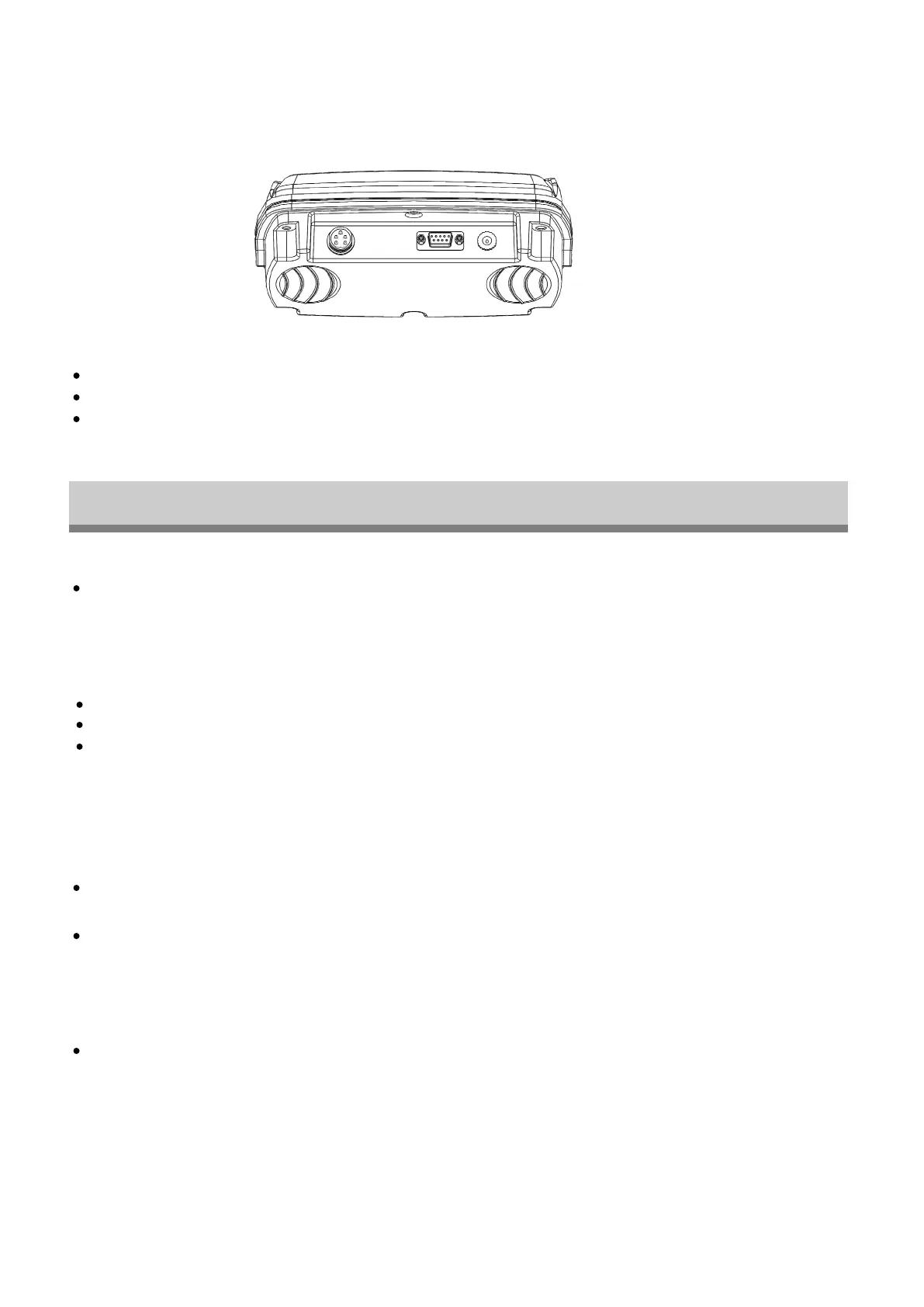
BOTTOM VIEW
LOAD CELL: Port for connecting the scale.
RS-232 PORT: Serial interface port. (printer, second display, PC, etc.)
DC POWER: Port for DC power. (DC 9V adapter available)
LOAD CELL
RS-232 PORT DC POWER
OPERATING INSTRUCTIONS
- 5 -
Note: If you remove the container, the scale will display weight less that of the container.


 To Next Page