EasyManua.ls Logo

Tufner T900B Series - User Manual

Default Icon
30 pages
Print Icon
To Next Page IconTo Next Page
Loading...
www.tufner.com
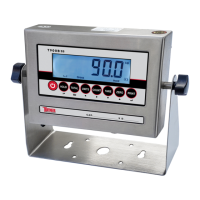
T900 SERIES INDICATOR
USER’S MANUAL
(T900A, T900B Series)

Questions and Answers

  • J
    Jacob GrayAug 6, 2025
    What to do if my Tufner T900B show ERR3?
    • W
      wallenAug 6, 2025
      If your Tufner Measuring Instruments display 'ERR3', first, check all wire connections. If the issue persists, inspect the load cell and recalibrate the device. If these steps do not resolve the problem, PCB replacement may be necessary.
  • K
    Kristen ChanAug 10, 2025
    What to do if my Tufner T900B show ERR1?
    • M
      Mr. Francisco Russo MDAug 10, 2025
      If your Tufner Measuring Instruments display 'ERR1', ensure that you are using the correct weight within the defined range of the instrument.
  • S
    Susan BrockAug 14, 2025
    What to do if my Tufner T900B show ERR2?
    • J
      Jane NicholsAug 14, 2025
      If your Tufner Measuring Instruments display 'ERR2', ensure that the calibration weight is at least 10% of the maximum capacity set in C04. It is recommended to use 60%-80% of the maximum capacity, if possible.
  • A
    Ann HensonAug 18, 2025
    Why does my Tufner Measuring Instruments display UUUUUU?
    • M
      Matthew ReedAug 18, 2025
      If your Tufner Measuring Instruments display 'UUUUUU', it could be due to several reasons: the weight might be too high (overload), there could be a wrong connection with the load cell, or the load cell itself may have a quality problem. To resolve this, first, reduce the weight on the instrument. Then, check the load cell connection. Finally, inspect the load cell and check its input/output.
  • D
    Douglas GatesAug 23, 2025
    What to do if Tufner T900B show nnnnnnn?
    • A
      Angela GomezAug 23, 2025
      If your Tufner Measuring Instruments display 'nnnnnnn', there could be a few reasons: the calibration might not be correct, there may be a wrong connection with the load cell, or the load cell itself might have a quality issue. To address this, first, make sure the scale is level. Next, check the load cell connection. Then, check the load cell's input and output resistance.
  • A
    amber04Aug 27, 2025
    What to do if Tufner T900B Measuring Instruments show ERR4?
    • J
      Jennifer GrayAug 27, 2025
      If your Tufner Measuring Instruments display 'ERR4', make sure the platform is stable before you start the calibration process.
  • C
    Cheryl ReidSep 1, 2025
    How to fix ERR5 on Tufner T900B?
    • K
      Kayla MillerSep 1, 2025
      If your Tufner Measuring Instruments display 'ERR5', you will need to change the PCB.

Summary

Safety Precautions and Setup

Anti-Static Prevention Measures

Measures to prevent static discharge affecting weighing accuracy and equipment.

Power Supply Details

Operating Instructions

Advanced Operating Functions

Calibration Procedure

Single Point Calibration

Step-by-step guide for single-point calibration using one weight.

Calibration Procedure (Continued)

Linear Calibration (Multiple Weights)

Step-by-step guide for linear calibration using multiple weights.

Indicator Parameter Settings

Parameters C01-C06

Settings for Weighing Unit, Decimal, Graduation, Max Capacity, Zero Calibration, Calibration.

Indicator Parameter Settings (Continued)

Parameters C07-C19

Settings for Restore Default, Warning Tone, Auto Power Off, Power Saving, Hold, Unit Conversion, Alarms, Date/Time, Communication.

Parameters C20-C28

Settings for Zero Range, Tracking, Overload, Negative Display, Standstill, Filters.

Parameters C29-C45

Settings for Noise Filter, Print, Analog/Relay Output, Gravity, Print Mode, Carriage Return.

RS232 Serial Output

DB9 Pin Description for RS232

Defines DB9 pins for TXD, RXD, and GND in RS232 communication.

RS232 Serial Output Formats (C18 Settings)

Lists serial output formats based on parameter C18 settings.

Remote Display Continuous Mode

Print Modes and Commands

PC;Remote Display and Label Printing

4-20 mA Analog Output (Optional)

Relay Output (Optional)

Troubleshooting

Error Codes and Solutions

Lists common error codes, their reasons, and corresponding solutions.

Frequently Asked Questions (Q&A)

Troubleshooting Power and Reading Issues

Steps for scale power on and negative reading issues.

Resolving Specific Error Codes (ERR6, nnnnnn, uuuuuu)

Detailed procedures for resolving ERR6, 'nnnnnn', and 'uuuuuu' errors.

Tufner T900B Series Specifications

General IconGeneral
BrandTufner
ModelT900B Series
CategoryMeasuring Instruments
LanguageEnglish

Related product manuals