20
RS232 SERIAL OUTPUT FORMAT
Follow the pin out of Table 5 below to connect the indicator the RS-232 Serial device
Table 5. DB9 Pin Description
DB9 Pin Denition Function
2 TXT Transmit Data
3 RXD Receive Data
5 GND Ground Interface
The serial output format depends on the settings for parameter C18. The serial output
consists of a string of ASCII characters. Here is a list of the serial parameters
● 8 data bits
● 1 stop bits
● No parity
● No handshaking
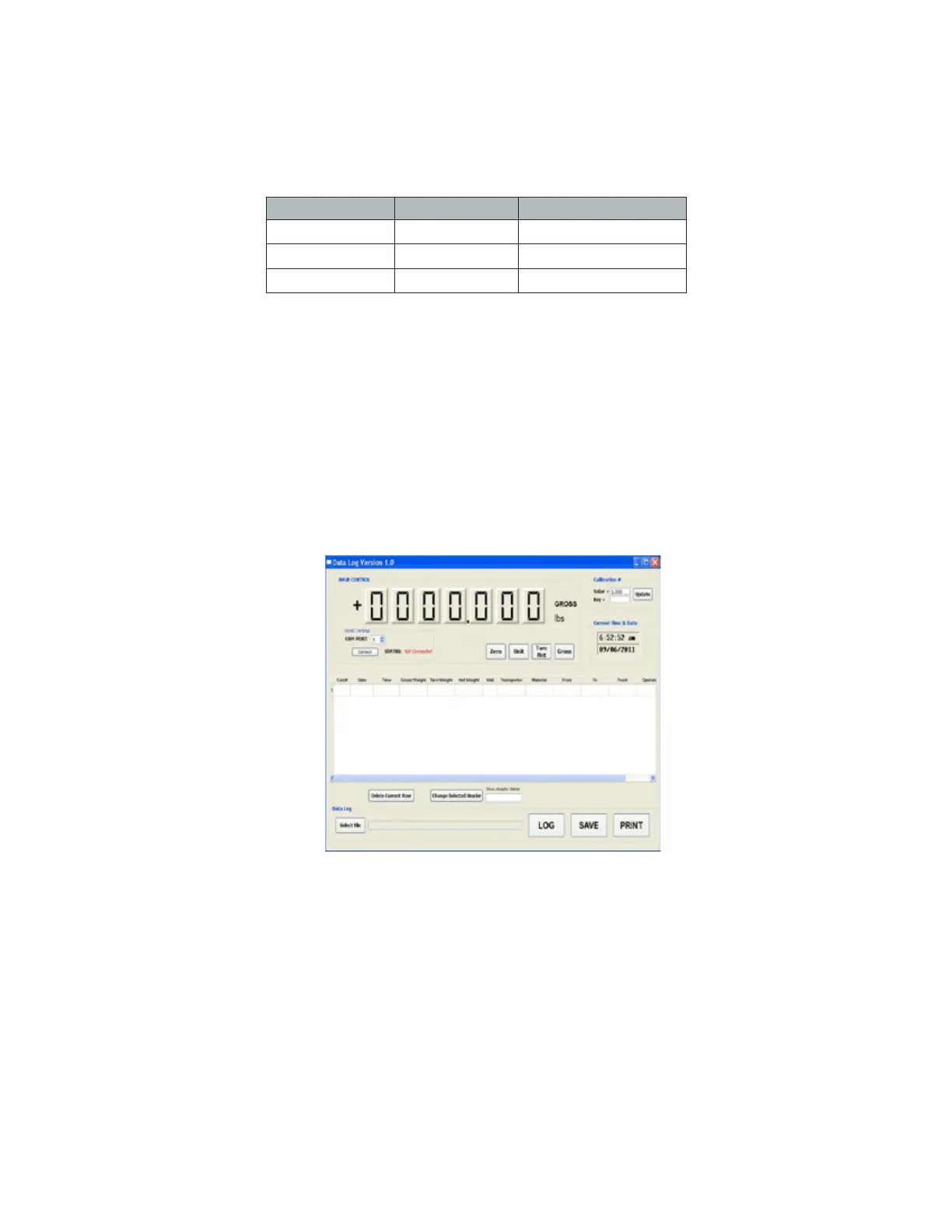
Note: With the RS232 Output option we have data logging software available as seen in
Figure 5.
FIGURE 5. DATA LOGGING SOFTWARE
Below are the formats of the serial output
● C18=0 - Turn off serial interface data output
● C18=1 - Continuous sending mode, connect 2nd big display
● C18=2 - Print mode, connect printer
● C18=3 - Command request mode, connect computer.
● C18=4 - PC continuous sending mode, connect computer
● C18=5 - PC/big display, continuous sending mode
● C18=6 - Print to adhesive label printer
● C18=7 - Print to Zebra adhesive label printer



 To Next Page
 Loading...