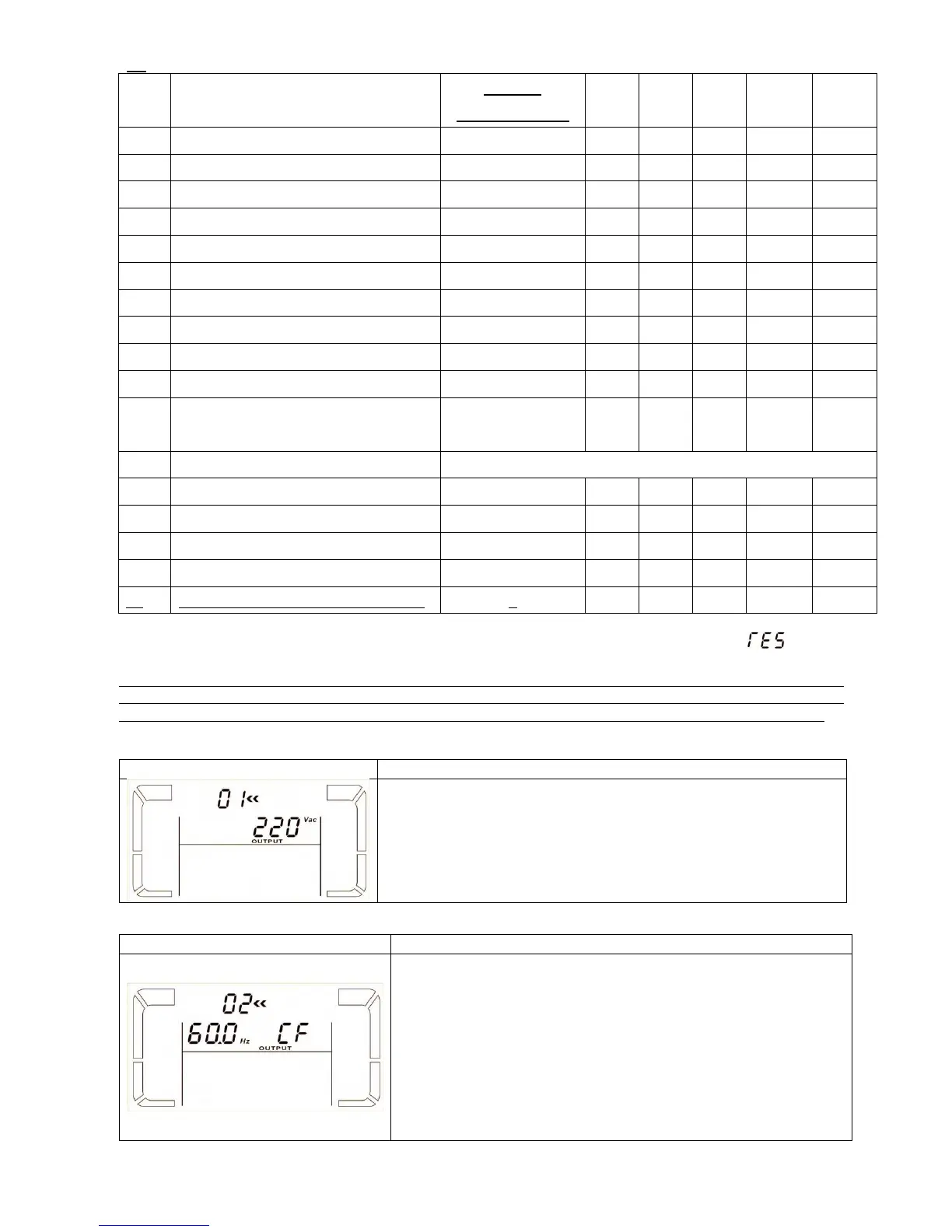
17 programs available list for parameter 1:
Frequency range for bypass
Voltage range for ECO mode
ECO mode frequency range setting
Battery backup time setting
Programmable output setting
Shutdown point for programmable
output
Battery voltage adjustment
Charger voltage adjustment
Inverter voltage adjustment
Output voltage calibration
Phase auto adapt enable/disable***
*Y means that this program can be set in this mode.
**It is only available to operate when a loss of neutral line is detected. Otherwise, it will display “ ” in
program setting menu.
***This function allows UPS input phase sequence more flexible. If it is enabled, UPS can adapt several kinds of
phase difference even it works like a single phase UPS. If it is disabled, UPS only can work under standard input
phase sequence among L1, L2, and L3. Please refer to program 17 below for more details about LCD setting.
01: Output voltage
Parameter 3: Output voltage
You may choose the following output voltage in parameter 3:
208: Presents output voltage is 208Vac
220: Presents output voltage is 220Vac
230: Presents output voltage is 230Vac
240: Presents output voltage is 240Vac
60 Hz, CVCF mode
50 Hz, Normal mode
Parameter 2: Output Frequency
Setting the output frequency. You may choose following three
options in parameter 2:
50.0Hz: The output frequency is setting for 50.0Hz.
60.0Hz: The output frequency is setting for 60.0Hz.
ATO: If selected, output frequency will be decided according to
the latest normal utility frequency. If it is from 46Hz to 54Hz, the
output frequency will be 50.0Hz. If it is from 56Hz to 64Hz, the
output frequency will be 60.0Hz. ATO is default setting.


 To Next Page