EasyManua.ls Logo

Turbines, Inc. CDS1000 - Unit Operation

Turbines, Inc. CDS1000
21 pages
Print Icon
To Next Page IconTo Next Page
To Previous Page IconTo Previous Page
Loading...
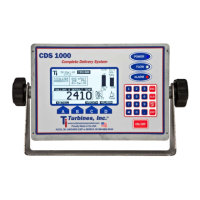
Turbines Incorporated Cryogenic Flow Delivery System CDS1000 Manual (Rev E)
CDS1000 Page 8
Operation
Observe BLUE LED
illuminated indicates
unit is powered on
Observe WHITE LED
illuminated or flashing.
Indicates unit is
receiving signal from
turbine meter.
Observe "RED"
LED "OFF". If
flashing, Press "D"
for alarm list.
Press to enter
"PROVE" mode.
Password required.
To exit "PROVE",
power unit "OFF"
System power
(ON/OFF)
Alarm Quick list:
scrolling icons
indicating current
alarms
Press to see
list of "Current
Alarms"
Press to PRINT
(only if printer is
enabled)
To View
uncompensated
total
Press to RESET
totalizer to ZERO.
(flow must be stopped)
Press to see unit
DETAILS list and
perform Battery
Test
Indicates "Pump
Cooldown Timer". Only
appears during cooldown
countdown and if enabled.
Displays "Delivery
total" (resettable)
Grand totalizer
(non-resettable)
Temperature Indicator
Rate Indicator
Current
Date/Time
Current calibration
(K) factor and last
calibration date.
Mounting Bracket
P/N: 900040
NiMH Battery
P/N: 900035
POWER: Connect to
vehicle battery
SIGNAL: Connect to
turbine flowmeter
TEMP: Connect to
temperature probe
PRESS: Connect
to 4-20mA output
PCO: Connect to
pump control
OUTPUT: Connect
to RS-232 printer
Knob
P/N: 900058