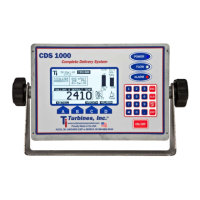
Turbines Incorporated Cryogenic Flow Delivery System CDS1000 Manual (Rev E)
CDS1000 Page 9
Programming
Your Model CDS1000 is factory set. You should only use this programming guide to change
your parameters or turn on additional features.
Power Unit Off
Press and hold "ESC". While holding, press and release "ON/OFF" for about 1 second to access the Initialization Options Menu
1) Set Clock & Language
1) Set clock
1) Set time
Hours (0-23)?
Type value
press “ENT”
Minutes (0-59)?
Type value press
“ENT”
Date (1-31)?
Type value
press “ENT”
Year
(0-99)?
Type
value
press
“ENT”
1) DST start
Sunday of month (0-5)?
Type value press “ENT”
Month (1-12)? Type
value press “ENT”
1) DST end
Sunday of month (0-5)?
Type value press “ENT”
Month (1-12)? Type
value press “ENT”
2) Select Language Press 1-2
1 – English*
2 – French
2) Adjustment Mode (enter passcode)
PEM must be removed
1) Calibration
1) Average K factor
2) Linearizer Table
3) Linearizer
Press “0” OFF*, “1” ON
2) Configuration
1 – LOX
2 – LIN*
3 – LAR
4 – LCO2
5 – LN2O
6 – CCO2
7 – MAPP
8 – LPG
Type value, press “ENT”
(Not normally used, consult the factory for detailed
instructions for use. Linearizer (option 3) must be "ON")
1) Compensation
2) Product
3) Units of measure
(Must be “ON”)
Press “0” OFF, “1” ON*
Press 1-9
1) Ratemeter
2) Totalizer
3) Temperature
1) Press 1-8
1 – Gal (gallons)*
2 – Liter
3 – Lbs (Pounds)
4 – Lbs x 10 (Pounds x10)
5 – kg (Kilograms)
6 – Scf (Standard Cubic Ft)
7 – Scf x 100
8 – m3 (Cubic Meters)
1 – Kelvin
2 – Celsius
3 – Fahrenheit*
4) Digits to the right
of the Decimal
5) Dual Coil
6) Printer Checking
Press 0*-2
Press “0” OFF*, “1” ON
Press “0” OFF, “1” ON*
(Must be “ON” for Turbines Inc printer)
(Must be “OFF” unless two coils are used)
* Default Value
(default 1000)
Next
Page
Note:
Press “ESC” to exit any screen.
Press “ENT” to accept entered values
Press “CLR” to clear entered values
Press “” to clear last digit entered
N/A indicates unavailable with current access level


 To Next Page
 Loading...