7
Go to Table of Contents
PS4
®
Setup
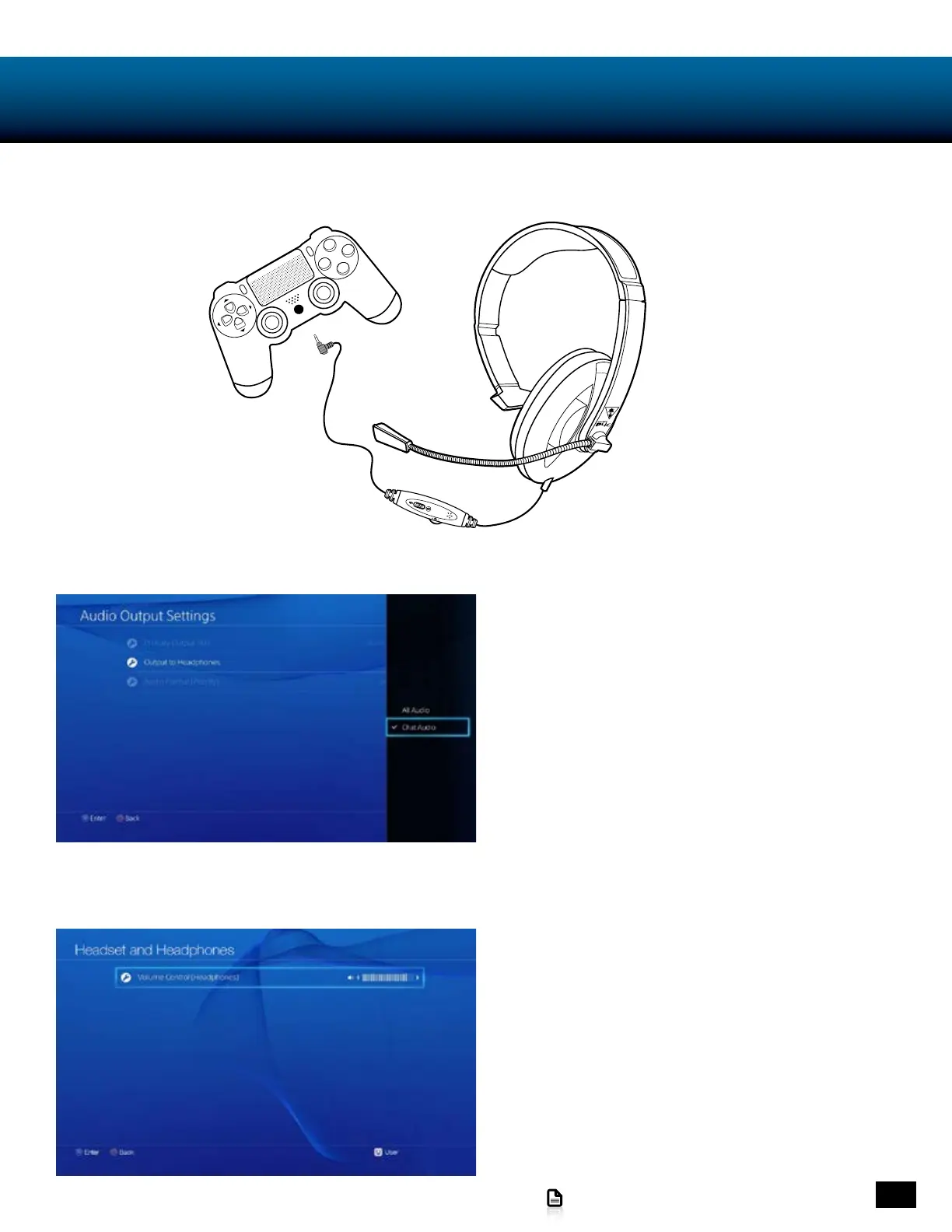
Insert the 3.5mm headset connector into jack on the bottom of your Dual Shock 4 PS4 Controller.
Go to Settings > Sound and Screen > Audio Output > Settings
> Output to Headphones.
Select “Chat Audio”
If your chat volume is either too loud or too soft:
Go to Settings > Devices > Audio Devices > Headsets and
Headphones > Volume Control (Headphones) and change
the audio level to your liking.














 To Next Page