ODE.SSEO.NEO.CLS.EC.REVIEWERMANUAL.02.07.2013
9
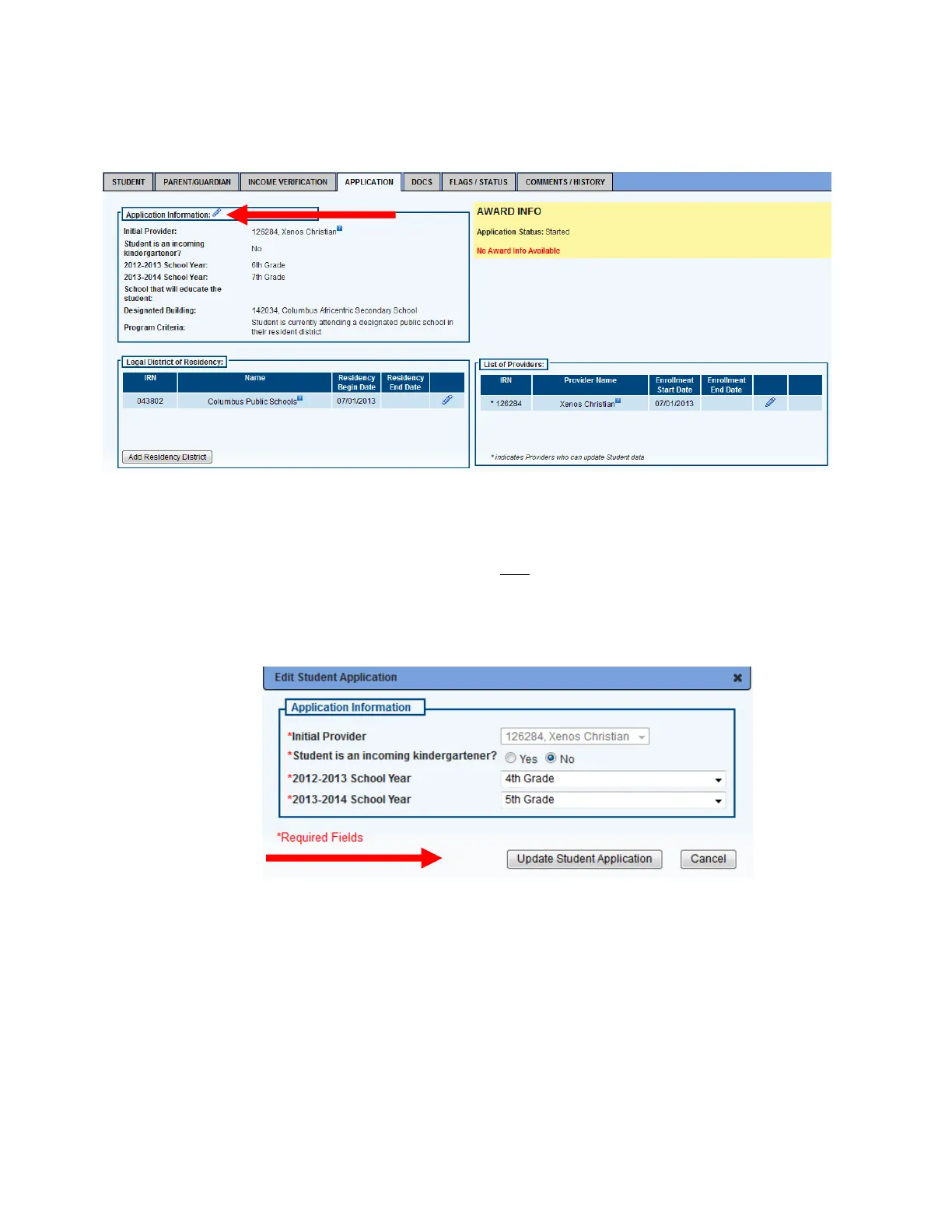
1. On the Application tab, check the information showing. Click the pencil icon next to Application Information.
2. User should now see a highlighted box with the student’s information included. Make the needed changes
and then click the Update Student Application button. [Note: District reviewers should usually not have to
make any changes to this information. If incorrect information is showing, reviewer should select the
applicable flag under the Flags/Status tab to make sure that the provider (i.e., private school) is made aware
of it.]













 To Next Page