8
Go to Table of Contents
Windows PC Setup
The Ear Force Recon 320 headset is designed for use with Windows 7 and Windows 8® PCs.
Visit TurtleBeach.com/Recon320Surround and download the Turtle Beach Dolby Headphone Driver.
Follow the on-screen prompts to install the Driver and restart your computer.
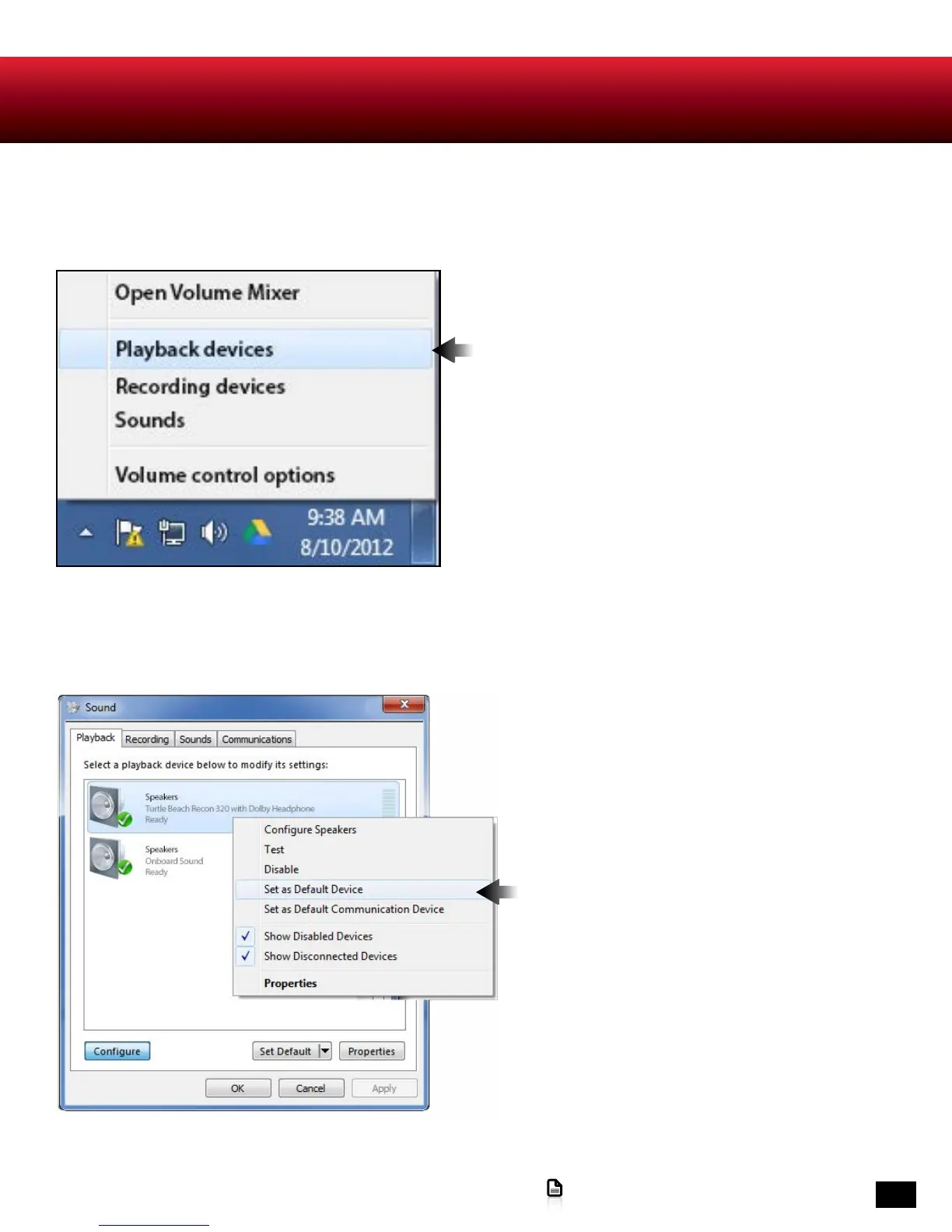
1. Right click the Speaker icon in your task bar and
select Playback Devices.
2. Right click on Recon 320 with Dolby Headphone
and select Set as Default Device.











 To Next Page