XP500 Advanced Sound Editor
Page 25
For example, to boost the sound of a grenade pin being pulled, it is better to boost higher
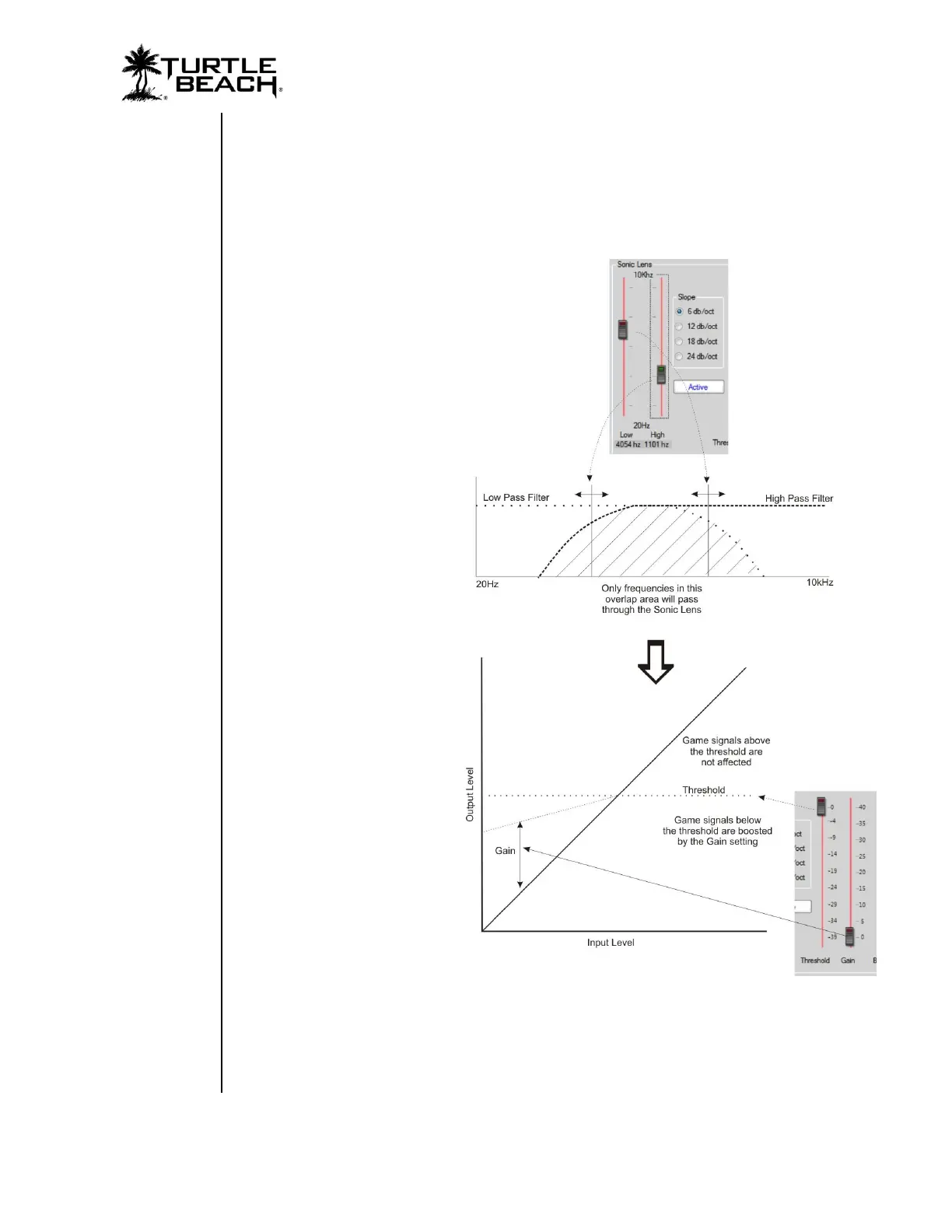
frequency sounds by adjusting the low and high pass filters. The Sonic Lens is also useful for
boosting quiet sounds like footsteps without also boosting the level of louder sounds like
explosions.
A mixer stage at the output of the Expander output allows the adjustment of the pre and
post expander signal so that the unprocessed game sound can be balanced with the
processed game sound.
Low
This slider sets the cutoff
frequency for the low pass filter.
Frequencies above the cutoff
will not pass through.
High
This slider sets the cutoff
frequency for the high pass
filter. Frequencies below the
cutoff will not pass through.
Slope
These buttons set the filter roll-
off from -6dB/Octave to -24
db/Octave. The -6dB slope will
pass more of the frequencies
than will the -24 db slope.
Active/ Pass Thru Button
When Active is enabled, the
high and low pass filters are
activated. When Pass Thru is
enabled, the filters are disabled.
Threshold
Sounds below the threshold
setting will be boosted by the
amount of gain set by the gain
slider. Sounds above the
threshold will not be affected.
Gain
The gain setting determines how
much the sounds below the
threshold will be boosted.
Balance
This slider sets the balance between the expander output and the normal output. When set
to Normal (bottom), the game sound will be unaffected by the Sonic Lens. When set to
Expand (top), the game sound is fully processed by the Sonic Lens. When set to the middle,
a mix of 50/50 normal and Sonic Lens game sound will be heard.















 To Next Page