PLEASE NOTE: The headset controls WILL change depending on which mode the transmitter
is set to. This is detailed below:
**Nintendo Switch wireless compatibility is supported while the Switch is in the docked mode only. Chat
is available only for games that support in-game chat compatibilities.
***Mic Monitor is a feature that allows you to hear your own voice when you speak into the mic, to help
you avoid inadvertently yelling at other people and players. This does NOT control how loud other people
hear you speak, only how loud you hear yourself
Stealth 600 Gen 2 MAX For Xbox
Stealth 600 Gen 2 MAX For Xbox - No Mic
Audio
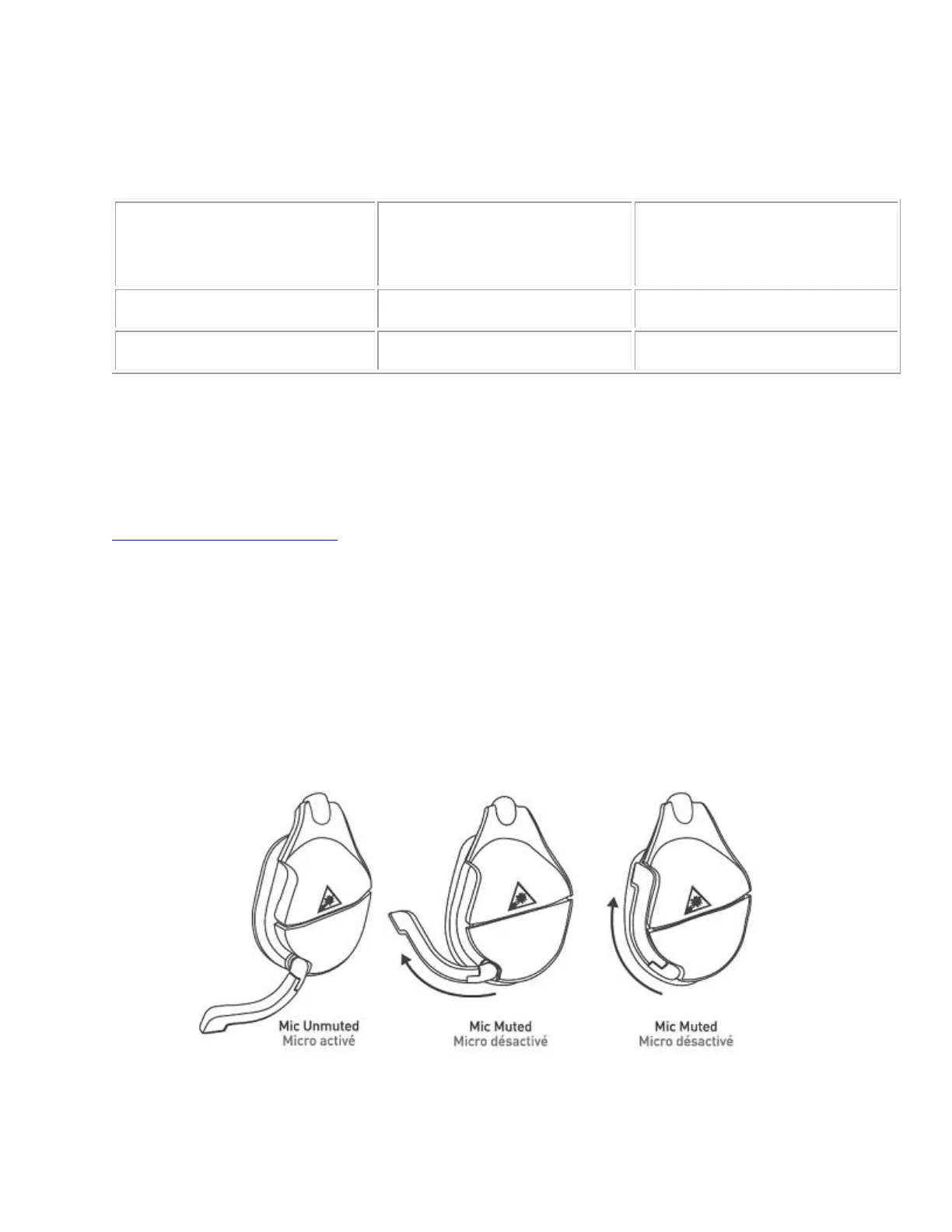
The Stealth 600 Gen 2 MAX headset has an adjustable, flip-to-mute mic. To use the mic, gently
push/”flip” the mic forwards. You will hear a tone (low high) to indicate the mic is now
unmuted. To mute the mic, just push/”flip” the mic back the other way. You will hear a tone
(high low) to indicate that the mic is now muted.














 To Next Page