EasyManua.ls Logo

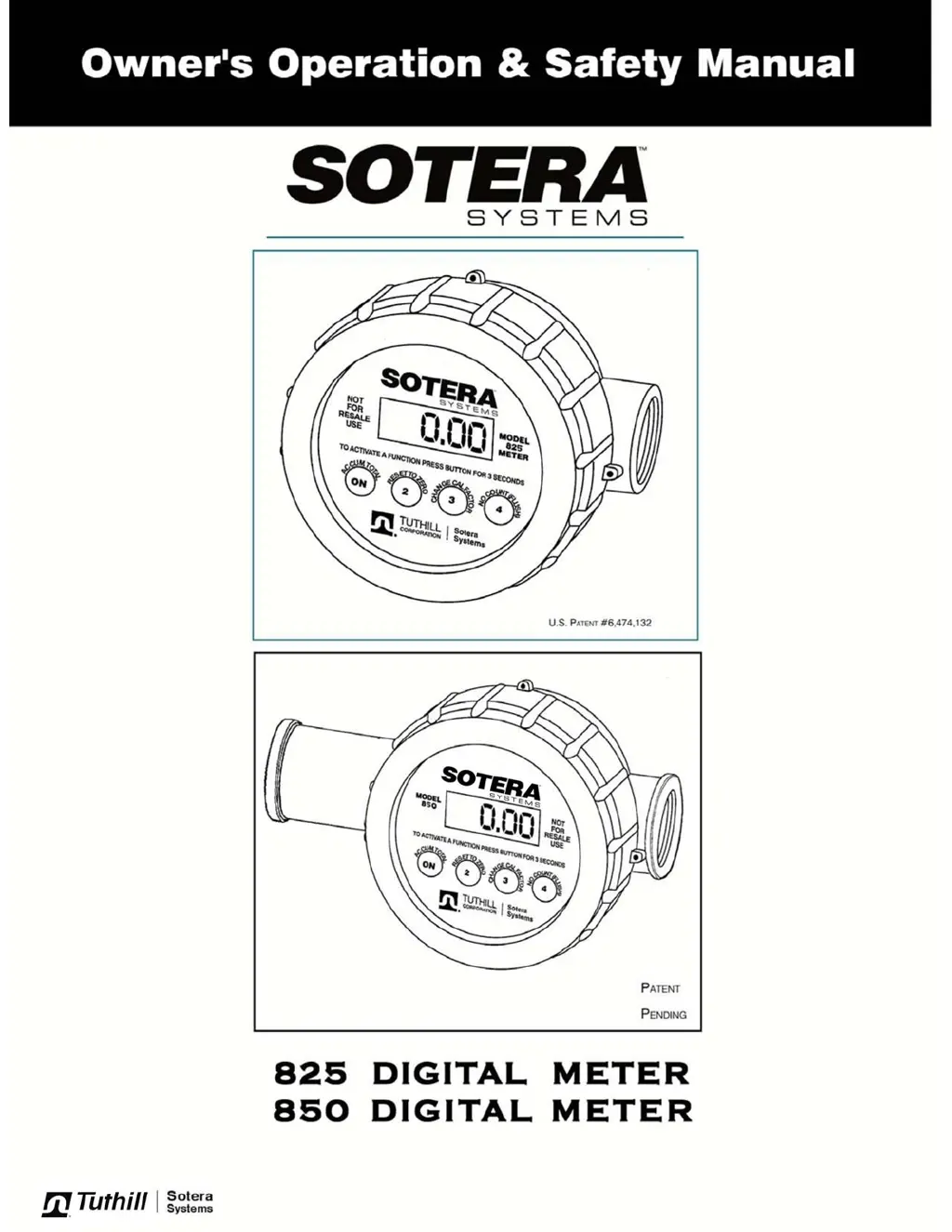
Tuthill SOTERA 825 - User Manual

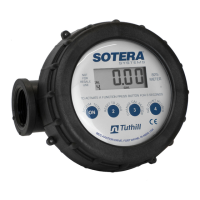
Tuthill SOTERA 825
12 pages
Print Icon
To Next Page IconTo Next Page
Loading...

Questions and Answers

  • G
    gsalazarAug 18, 2025
    How to fix a Tuthill SOTERA 825 Measuring Instruments meter that won't turn on?
    • R
      Robert MendozaAug 18, 2025
      If your Tuthill Measuring Instruments meter won't turn on, the issue might be dead batteries. Try replacing them. Alternatively, the electronics module could be damaged or contaminated, in which case you should replace the electronics module and gaskets.
  • B
    Brittany HessAug 20, 2025
    What to do if fluid flows but Tuthill SOTERA 825 meter won't count?
    • M
      Michael HarrisAug 20, 2025
      If fluid is flowing, but your Tuthill Measuring Instruments meter isn't counting, it could be due to a sticking meter disk. Try cleaning out the meter chamber. It may also be caused by a damaged driver or magnet, requiring you to repair or replace the chamber assembly. In some cases, it signifies a meter failure, which means you'll need to repair or replace the meter.
  • K
    Kim SmithAug 23, 2025
    Why is my Tuthill Measuring Instruments leaking fluid at the inlet/outlet port?
    • D
      deatonAug 23, 2025
      If you're experiencing fluid leaks at the inlet/outlet port of your Tuthill Measuring Instruments, it might be due to the absence of a thread sealant. Try adding Teflon pipe tape to the joint. Another potential cause is a cross-threaded port, which would require replacing the body.
  • L
    Lindsay WilliamsAug 26, 2025
    Why does my Tuthill Measuring Instruments meter read high?
    • M
      Matthew HuntAug 26, 2025
      If your Tuthill Measuring Instruments meter reads high, there could be air in the system. Prime the system and fix any suction leaks at the pump. Another cause might be the wrong calibration factor; in that case, use a higher calibration factor.
  • M
    mitchellgeraldAug 28, 2025
    Why is my Tuthill Measuring Instruments meter not consistent?
    • B
      Brandon MoonAug 28, 2025
      If your Tuthill Measuring Instruments meter is inconsistent, it could be due to air in the system. Make sure to prime the system and fix any suction leaks at the pump. Particulates in the fluid can also cause inconsistencies, so try putting a screen in front of the meter. Finally, a worn or damaged chamber might be the culprit, so cleaning the chamber is advisable.
  • X
    xwoodAug 30, 2025
    What to do if Tuthill Measuring Instruments meter reads low by more than 10%?
    • M
      Michael TerryAug 30, 2025
      If your Tuthill Measuring Instruments meter reads low by more than 10%, the meter chamber might be worn. Try to recalibrate the meter with water. Alternatively, the chamber could be partially plugged, so clean the chamber. In the case of a damaged or very worn chamber, replace the chamber and recalibrate the meter.
  • K
    kennethobrienSep 1, 2025
    How to fix a flashing or dim display on Tuthill Measuring Instruments?
    • T
      thomasmillerSep 2, 2025
      A flashing or dim display on your Tuthill Measuring Instruments meter usually indicates low batteries. Replace the batteries to resolve this issue.
  • M
    Miss Natasha BrownSep 4, 2025
    Why does my Tuthill SOTERA 825 Measuring Instruments meter read low by 10% or less?
    • M
      Mr. Jonathon JohnsonSep 4, 2025
      If your Tuthill Measuring Instruments meter reads low by 10% or less, the wrong calibration factor is likely the cause. Use a lower calibration factor to correct this.
  • G
    george43Sep 7, 2025
    What does Err1 mean on a Tuthill SOTERA 825 Measuring Instruments?
    • M
      Marcus LewisSep 7, 2025
      The Err1 error on your Tuthill Measuring Instruments indicates damaged electronics. You may need to repair or replace the electronics. It could also indicate a software fault, so try pressing 2 and then recalibrating the meter.
  • V
    Victoria JohnsonSep 9, 2025
    How to fix Err0 on Tuthill Measuring Instruments?
    • T
      Tony MasonSep 9, 2025
      The Err0 error on your Tuthill Measuring Instruments usually means a calibration error. Recalibrate the meter with a more accurate container. This error can also indicate a damaged chamber, so consider replacing the chamber.

Summary

Technical Information

Specifications

Details flow ports, range, pressure, temperature limits, accuracy, units of measure, and range.

Materials and Dimensions

Lists construction materials and provides physical dimensions of the meter.

Fluid Compatibility

Lists compatible fluids and provides a warning about incompatible fluids.

Safety Instructions and General Description

Handling and Usage Precautions

Covers warnings on herbicides, fluid handling, pressure limits, misuse, and flammable fluids.

Component Handling Warning

Specific warning regarding the removal of the PC board and potential warranty void.

Meter Functionality Overview

Describes the nutating disk mechanism, magnetic coupling, and digital display.

Installation and Options

Installation Guidelines

Instructions for using Teflon tape, determining flow direction, and threading connections.

Adjusting Display Orientation

Steps to change the position of the meter readout display.

Safety Warning: Flammable Fluids

Critical DANGER notice regarding the use with fluids below 100°F flashpoint.

Available Options

Lists optional components such as EPDM seals and SAE threaded ports.

Operational Functions and Usage

Button Controls

Details the functions of the ON, RESET TO ZERO, and CHANGE CAL FACTOR buttons.

Basic Meter Operation

Covers priming the meter, turning it on, resetting totals, and display inactivity.

Calibration Factor Explanation

Explains the CAL factor concept and provides a table of suggested settings for common fluids.

Calibration Procedure

1-Step Calibration Steps

Detailed steps for calibrating the meter, including setting CAL factor, priming, and filling.

CAL Factor Adjustment Guidance

Instructions on how to adjust the CAL factor based on meter readings (high or low).

Operational Procedures, Batteries, and Maintenance

Changing Calibration Factor

Step-by-step instructions on how to change the meter's calibration factor.

Battery Replacement

Guidance on how to replace the meter's batteries, including warnings.

Maintenance and Cleaning

Covers flushing between uses and detailed steps for thorough meter cleaning.

Repair Guidance

General advice on replacing damaged meter components.

Storage Instructions

Recommendations for storing the meter in a cool, dry place.

Troubleshooting Guide

Common Issues and Solutions

Lists common problems, their possible causes, and recommended solutions for meter operation.

Parts and Repair

Parts List

Detailed list of components and part numbers for the 825/850 meters.

Meter Repair Kits

Information on available repair kits for the meters.

Appendix-A: Meter Operations

Changing Units of Measure

Procedure for changing units and setting special units.

Resetting Accumulated Total

Instructions on how to reset the accumulated total on the meter.

Meter Calibration Check

Guide on how to check the meter's current calibration accuracy.

Flush Mode Operation

Explanation of the FLSH mode and caution against leaving the meter in this state.

Appendix-B: Water Calibration

Water Calibration Procedure

Step-by-step guide for recalibrating the meter using clean water.

Appendix-C: Fluid Calibration

Non-Water Calibration Procedure

Instructions for calibrating the meter with fluids other than water.

Appendix-D: Calibration Factor Graphs

Viscosity-Based CAL Factor Selection

Graphs to help select calibration factors based on fluid viscosity.

Tuthill SOTERA 825 Specifications

General IconGeneral
BrandTuthill
ModelSOTERA 825
CategoryMeasuring Instruments
LanguageEnglish

Related product manuals