OPERATION STEPS
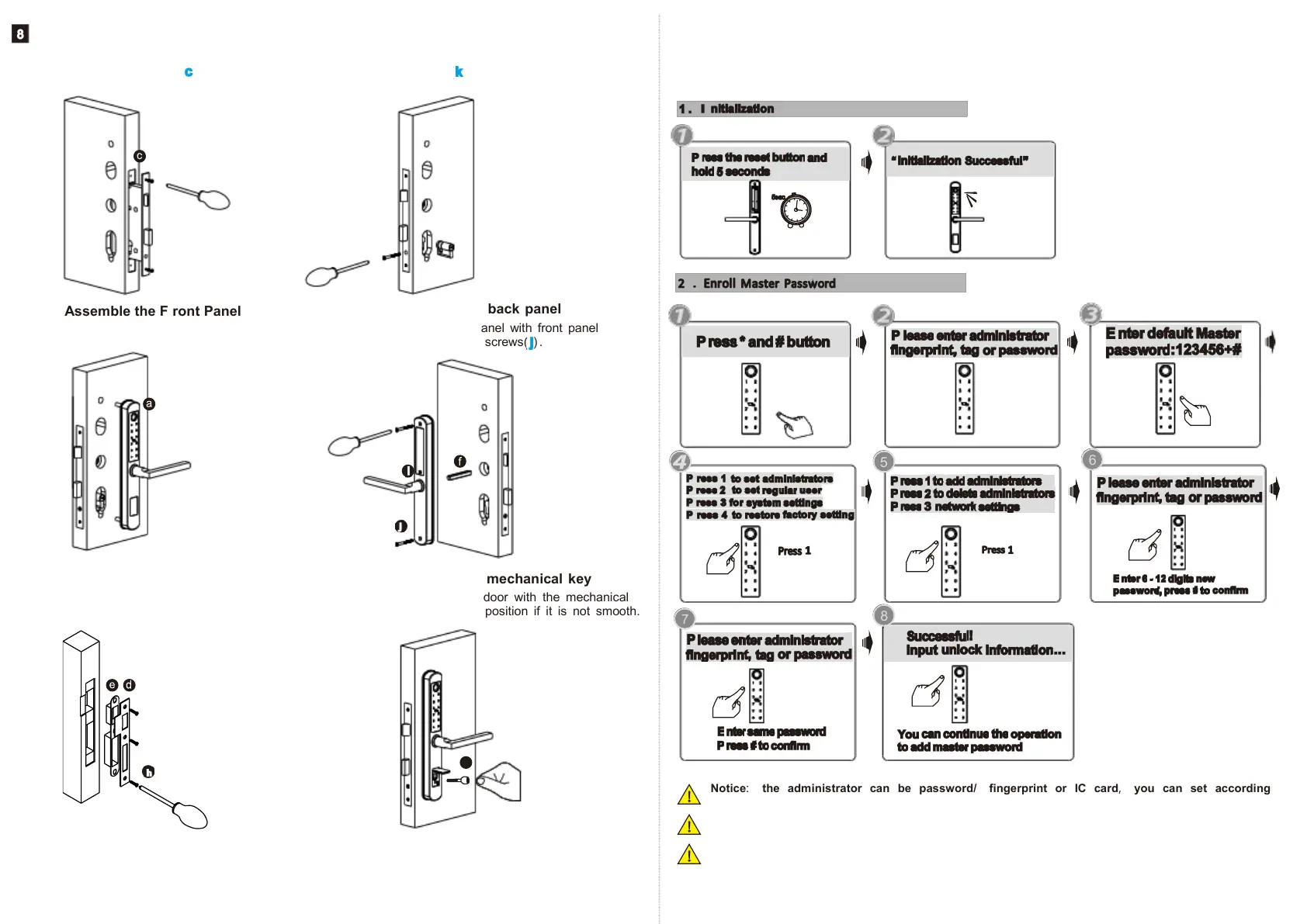
Please enroll the master password/ card/ fingerprint before you start to use this lock .
you can follow the operation steps as below, network setting can not be done under
the default master password: 12 3 4 5 6 , you shall change master password first!
8. 3 Assemble the F ront Panel
8 .6 Test with the mechanical key
Test to unlock the door with the mechanical
key and adjust the position if it is not smooth.
Notice
:
the administrator can be password/ fingerprint or IC card
,
you can set according
to your own requirement, total 9 administrators.
Notice: P ress # key to confirm, press * to back to previous step, lock will exit the setting
if there is no operation during 1 5 seconds.
Notice: After 5 times wrong unlock , the keypad will be locked for 6 0 seconds, there is no
reaction for any operation during these time.
5 6
INSTALL THE LOCK
8.1 Assemble the Mortise
Assemble the mortise( ) into the slot which
is drilled according to the template.
8. 5 Assemble the Strike and Box
P ut the strike box into the slot and fix the strike
with the screws.
8.
2
Assemble the Cylinder
F ix the cylinder( ) with the long screw
through the hole on the faceplate.
8 .4 Assemble the back panel
T ight the back panel with front panel
with the two long screws( ) .
T ight the front panel on the door( outside) .



 To Next Page