Need help?
Do you have a question about the TUYA N33-YB and is the answer not in the manual?
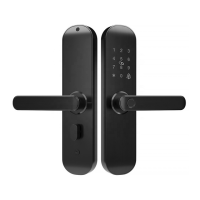
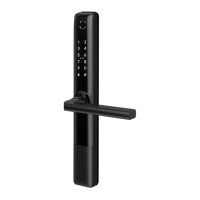
Details the physical components and dimensions of the smart lock mechanism.
Lists all components included in the product package, with quantities for verification.
Outlines technical details including model, materials, dimensions, power, and operating conditions.
Provides instructions for resetting the smart lock to its factory default settings.
Illustrates the step-by-step process for physically installing the smart lock on a door.
Guides users on how to download the necessary mobile application for the smart lock.
Explains the process of creating an account and registering the smart lock within the app.
Details how to log into the mobile application using existing credentials or social accounts.
Instructions for pairing and adding the smart lock device to the mobile application.
Describes the main interface of the mobile app for controlling the smart lock.
Explains how to add and manage users, including family members and others.
Details the different types of members and how to manage their permissions and validity periods.
How to view logs of who opened the door and when, with details on real-time vs. cached data.
Options for configuring automatic locking, passage mode, and other unlocking behaviors.
Instructions for adding, managing, and collecting fingerprints for user access.
How to set, manage, and use passwords, including hijacking passwords for security.
Steps for adding and managing access via door cards for users.
Creating and managing one-time or periodic temporary access codes.
Optional setup guide for connecting the smart lock to a Bluetooth gateway.
Detailed steps for setting up and connecting a Bluetooth gateway to the network.
Instructions for pairing the smart lock with an already connected Bluetooth gateway.

 To Next Page
 General