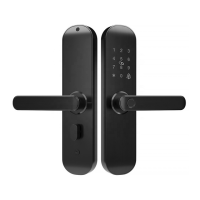
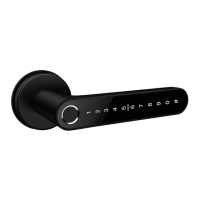
This document provides a user manual for the S1-TYB Smart Lock, detailing its structure, installation, operation, specifications, and warranty information.
Function Description
The S1-TYB Smart Lock is a sophisticated door locking system designed to offer multiple unlocking methods and smart features for enhanced security and convenience. It supports various access methods including Bluetooth, fingerprint (optional), password, card, and mechanical key, with an optional gateway for remote access. The lock is designed for both aluminum and wooden doors, with adjustable thickness compatibility.
Key functionalities include:
- Multiple Unlocking Ways: Users can unlock the door using fingerprints, passwords, RFID cards, mechanical keys, or via Bluetooth through a smartphone app. An optional gateway allows for remote control.
- User Management: The system allows for the addition and management of multiple users, including family members and other members, with customizable permissions and validity periods. Administrators can set specific door opening methods for each user.
- Opening Record: The lock keeps a detailed log of all door opening events, which can be queried through the app. When connected via Bluetooth, records are updated in real-time; otherwise, they are cached locally and transmitted upon reconnection.
- Temporary Codes: The system supports the generation of online and offline temporary passwords, including one-time and periodic codes, for guests or temporary access without direct Bluetooth connection.
- Automatic Lock Switch: Users can enable an automatic lock feature that re-locks the door five seconds after unlocking. Disabling this feature puts the lock in a normally open mode.
- Low Wattage Alarm: The lock provides an alarm when the battery voltage drops below 4.8V, indicating the need for battery replacement. After the alarm, the lock can still be unlocked approximately 200 times.
- Passage Mode: A passage mode can be activated, allowing the door to remain unlocked after a valid entry, and deactivated by another valid entry.
- Anti-Hijacking Password: A special "hijacking password" can be set, which, when used to open the door, triggers an app-based hijacking alarm.
Important Technical Specifications
- Model: S1-TYB
- Materials: Handle: SS304; Panel: Aluminum alloy
- Lock Weight: 2.5 KG
- Unlocking Ways: Bluetooth, Fingerprint (option), Password, Card, Mechanical key, Gateway (option)
- Doors Applicable: Aluminum door, Wooden door
- Working Voltage: 6V / 4x AA Batteries
- Door Thickness to Fit: 35-65mm
- Data Capacity: Fingerprint + Password + Card ≤ 100
- Color: Silver, Black
- Working Temperature: -10°C to 55°C
- Low Wattage Alarm: Less than 4.8V
- Working Humidity: 0-95%
Usage Features
- Installation: The manual provides a detailed, step-by-step guide for installation, including turning the handle to match door opening direction, installing the mortise, sliding screw casing, square shaft, front panel, back panel, connecting wires, and installing batteries.
- App Integration: The lock integrates with the "Tuya Smart" app, available on various app stores. Users can register and log in using email or mobile numbers, with options for third-party social account login (WeChat, QQ, Apple ID).
- Device Pairing: Adding the smart lock to the app involves tapping "Add Device," selecting "security sensors" (Bluetooth), and pressing "8+#" on the lock to enter Bluetooth search status.
- Gateway Integration (Optional): For remote access, a Bluetooth gateway can be added. This involves electrifying the gateway, ensuring the blue indicator light is stable, and then pairing it with the app and the smart lock. The gateway requires a 2.4GHz Wi-Fi network.
- User Permissions: Administrators can define specific permissions for each user, controlling which unlocking methods they can use.
- Password Management: Supports random generation and custom passwords.
- Door Card Management: Allows adding and managing RFID cards for unlocking.
- Fingerprint Management: Enables the collection and management of fingerprints for unlocking, requiring five scans for each fingerprint.
- Volume Setting: The lock's navigation volume can be adjusted.
Maintenance Features
- System Initialization: To reset the lock to factory settings, open the front panel cover, long-press the "Reset" button on the back panel for 5 seconds.
- Battery Replacement: The lock uses 4 AA batteries. Users are advised to replace batteries when the low wattage alarm sounds.
- Mechanical Key: Mechanical keys should be kept outdoors as a backup in case of electronic system failure or battery depletion.
- Troubleshooting (FAQ):
- No Keyboard Response: Check battery installation (polarity, charge level), ensure back panel connection, and verify wires are not squeezed.
- Fingerprint Registration Issues: Check fingers for dirt/wear, and the fingerprint head for dirt/oil stains. Verify the fingerprint sensor is working.
- Fast Power Consumption: Could be due to large standby power consumption or a short circuit.
- Handle No Response (Outside): Check if the clutch direction is incorrect.
- Password Lockout: Entering the wrong password more than 5 times in a row will lock the keyboard for 90 seconds.
- Warranty: The product comes with a one-year warranty from the date of purchase, valid for customers worldwide. Users are advised to keep the warranty card for service.
- Time Reset: The time needs to be reset after replacing the battery.

 Need help?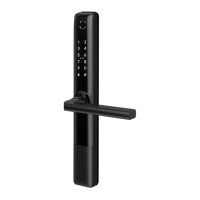

 To Next Page
 General