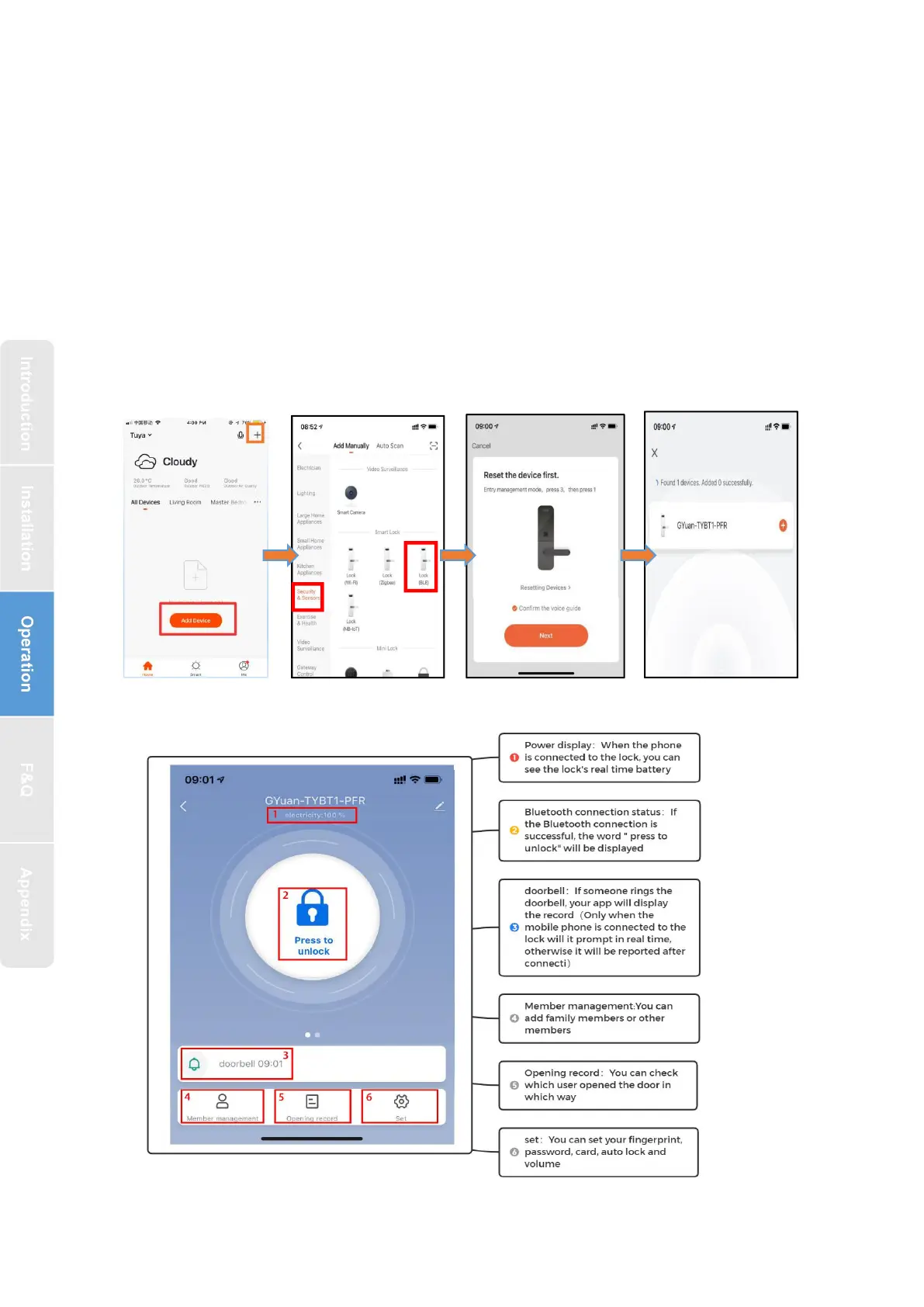
3.4.1. Interface introduce
1.Tap Add Device on the Home page or“+”in the upper right corner of the page
to go to the Add Device page. then, you can manually add devices or search for
devicesto add to the app.
2.Click on the "security sensors" category on the left
,
Find the door lock
(Bluetooth)
3.Press 8+# on the lock and Prompt operation is successful, the keyboard light
starts flashing
,
the lock will enter bluetooth search status
4.After searching for the door lock, click "+" to add


 To Next Page