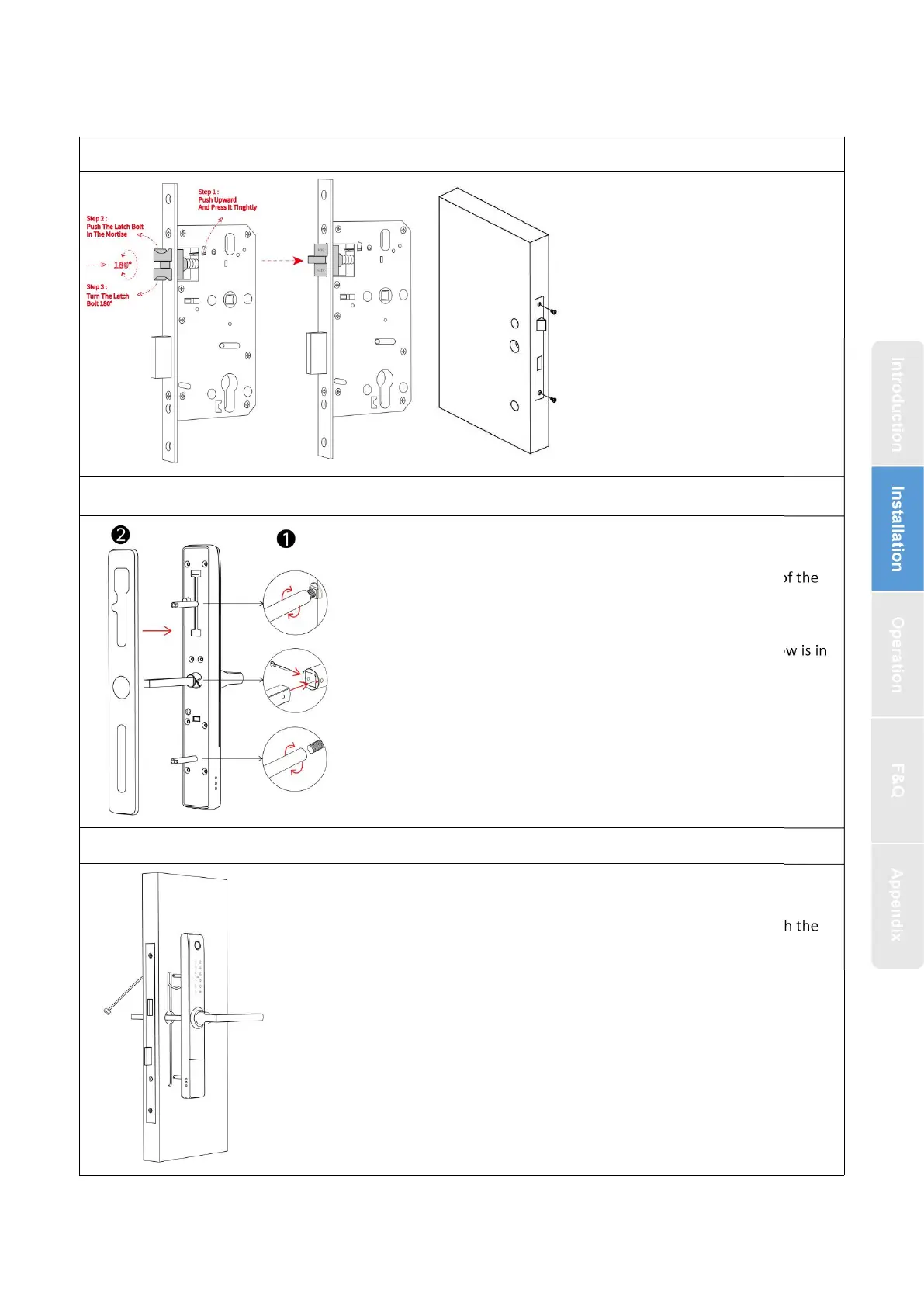
2.2. Installation Diagram(For 3585)
Step 2 Install Sliding Screw Casing and Square Shaft
1.Choose a screw column suitable for the thickness of the
door install it on the front panel,
2.Install waterproof in alignment with the holes
3.Install the square shaft, put on the U-Clip, The arrow is in
the same direction as the handle
Step 3 Install Front Panel
1.Align the front panel of the installed accessories with the
holes of the door and install
1.According to the size indicated by
the hole icon, open the corresponding
hole position as needed, and install the
lock body.
2.Adjust the direction of the bolt
according to the door opening
direction


 To Next Page