Steps 1
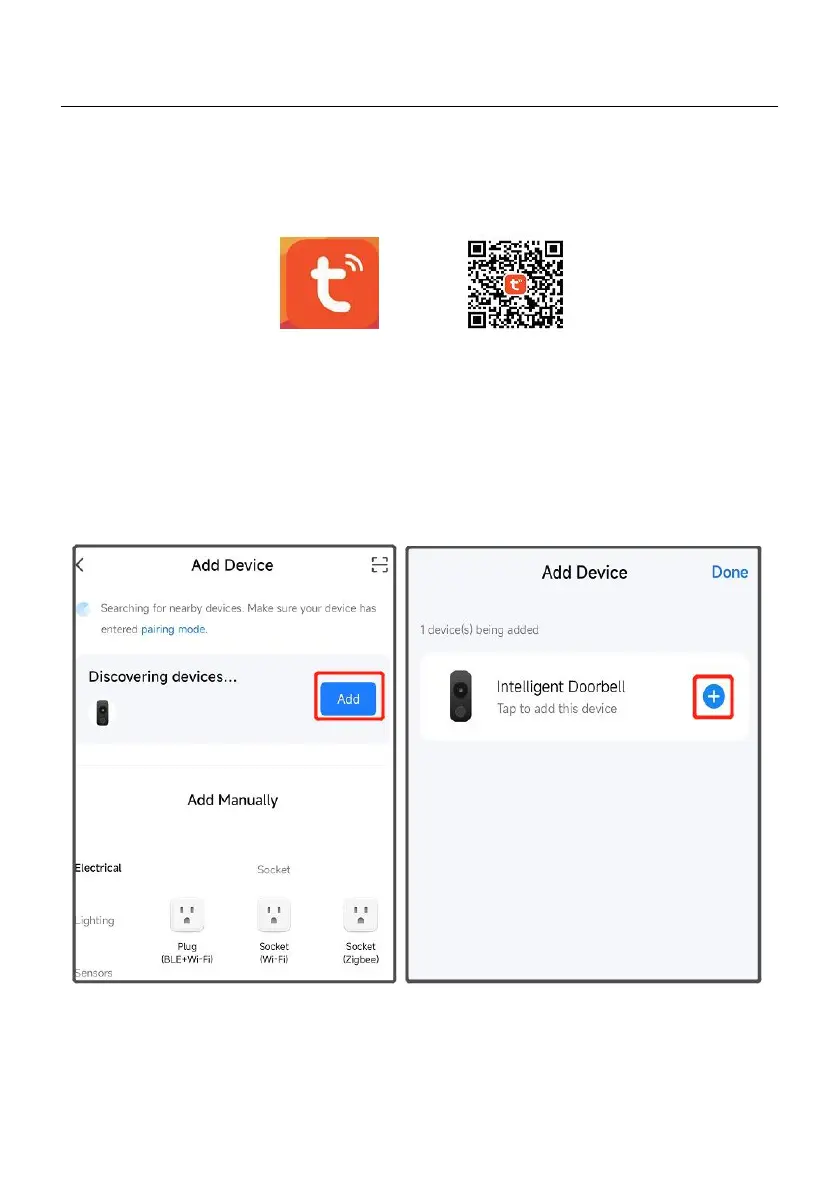
Download and install Tuya Smart App。Scan the QR code below or search for Tuya on
the App Store or Google Play. Download and install the app
Steps 2
Open Tuya Smart, register your email or phone number, and log in to your account.
Steps 3
To add your doorbell, select "+" in the top right corner of the home page. Then select Smart
Camera。
Note:
a.If the device is not automatically searched, please click "Turn on Bluetooth" in the picture
below and set "Allow device permissions near this application".



 To Next Page