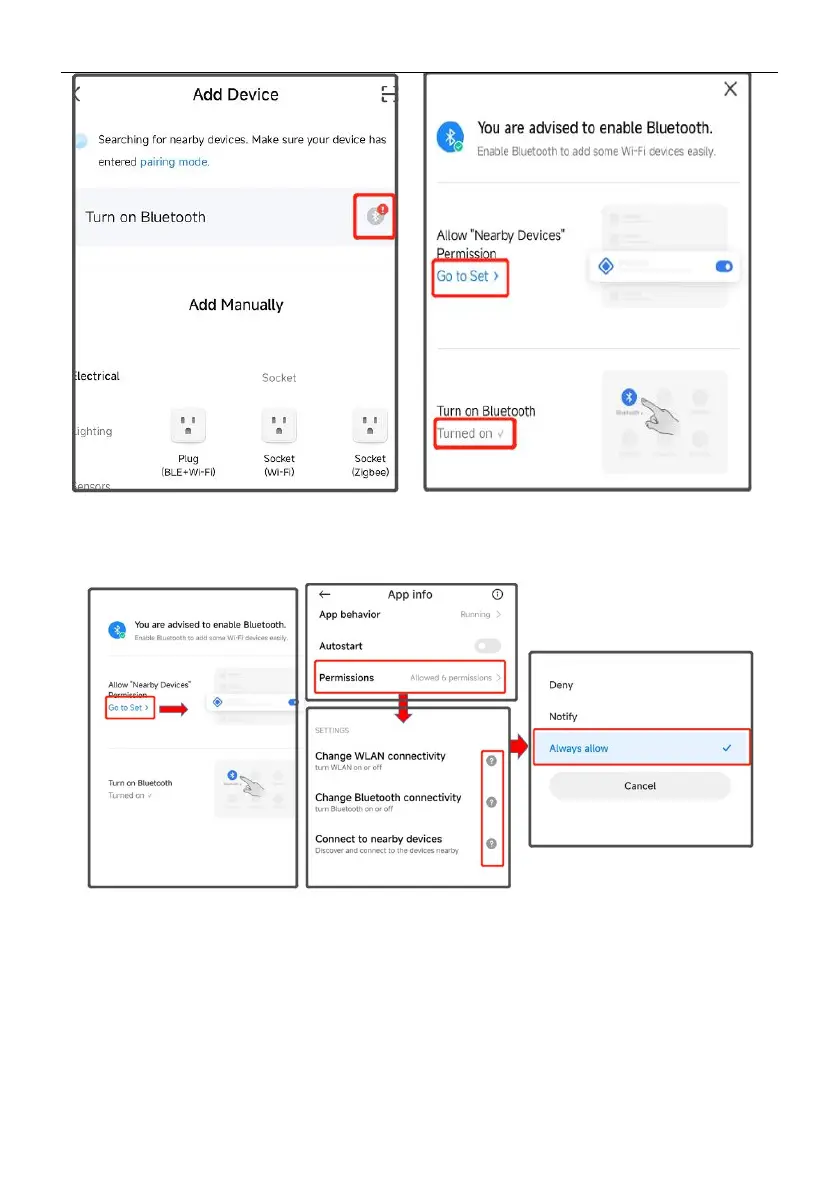
b.Access permission management, enable WLAN, Bluetooth, and nearby devices, and
select Always Allow.
Steps 4
1. After adding a doorbell, enter your 2.4ghz wireless network account and password and click
"Next". When connecting, keep your router, mobile phone and doorbell as close as possible.
After adding a doorbell, click "Finish".
Note:
1.If the connection is not successful, please reset the device and reconnect
2.If the connection timeout, please check whether the power is too low, if it is too low, please
charge the device in time and then connect.



 To Next Page