13
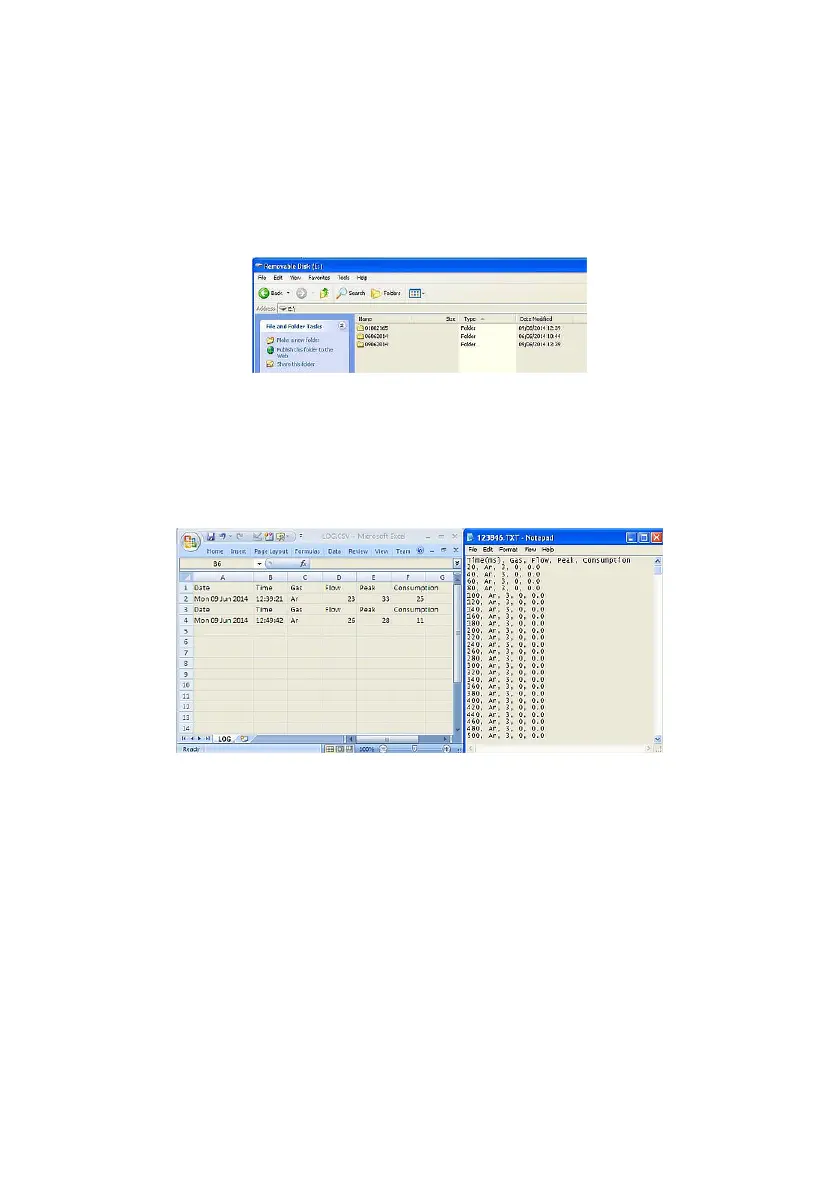
When the NFM3 is connected to a laptop or PC, it will appear as a
removable drive in the MS-Windows ‘My Computer’ page. Open the drive
by double-clicking on it and nd the NFM3 les.
All logged gasses are stored under folders labelled by the date (Day,
Month, Year, e.g. 01042014). Open one of the folders to view the logged
gasses for that day.
LOG.CSV
contain all the gas screen prints taken whilst in ‘Mode
1’.
.TXT
contain logged gasses while in ‘Mode 2’. Each TXT
le is labelled using the time the gas was logged
(Hour, Minute, Seconds, e.g. 123846).
2.8.1 Transferring logged les into MS-Excel report
TVC provide two MS-Excel templates which can be used to open les and
display the logged gas in a report. Both templates operate in the same
manner making them easier to use.
The ‘Log File Reporter’ template should be used to open log les, i.e., gas
screen captures whilst in ‘Mode 1’.
The ‘Surge File Reporter’ template is used to open .TXT les captured in
‘Mode 2’.


 To Next Page