6
2.3 Gas selection
The NFM3 has been programmed with nine gas mix selections, these are:
• Argon (Ar)
• Carbon Dioxide (CO2)
• Argon/CO2 Mixes (Ar-CO2)
• Nitrogen (N2)
• Argon/Helium Mixes 0 to 10% (Ar-He 10%)
• Argon/Helium Mixes 10 to 30% (Ar-He 30%)
• Argon/Helium Mixes 30 to 50% (Ar-He 50%)
• Argon/Helium Mixes 50 to 70% (Ar-He 70%)
• Argon/Helium Mixes 0 to 100% (Ar-He 100%)
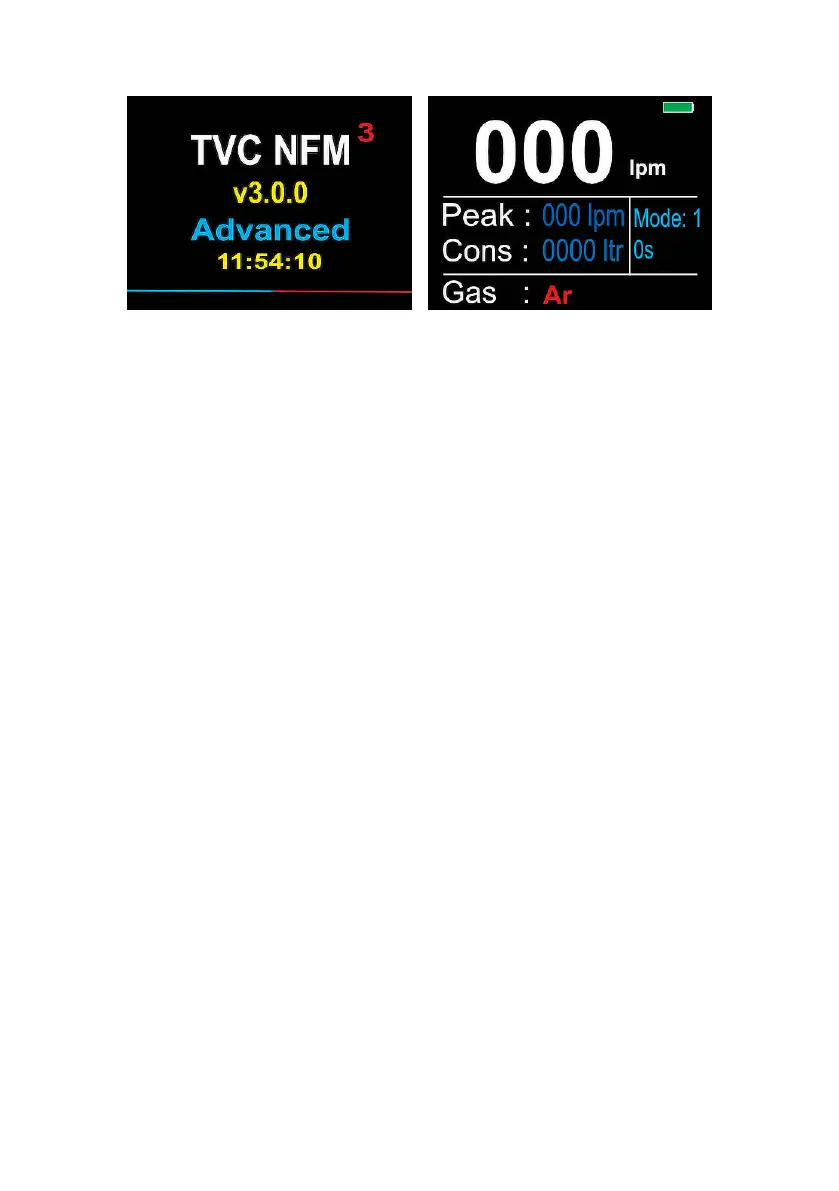
NFM3 Advanced:
Start Up screen
NFM3 Advanced:
Main screen
The NFM3 has a ‘button-lock’ feature to prevent accidental button presses
which may change the gas selection. To access the gas selection area,
press and hold the ‘Up’ button for 3 seconds.
Once the buttons are unlocked and functioning, use the ‘Up’ and ‘Down’
buttons to scroll between the available selections. The selected gas is
displayed at the bottom of the screen.


 To Next Page