ENGLISH
Chapter 1 — Introduction
Quick Start
Turning on the Computer for the First Time
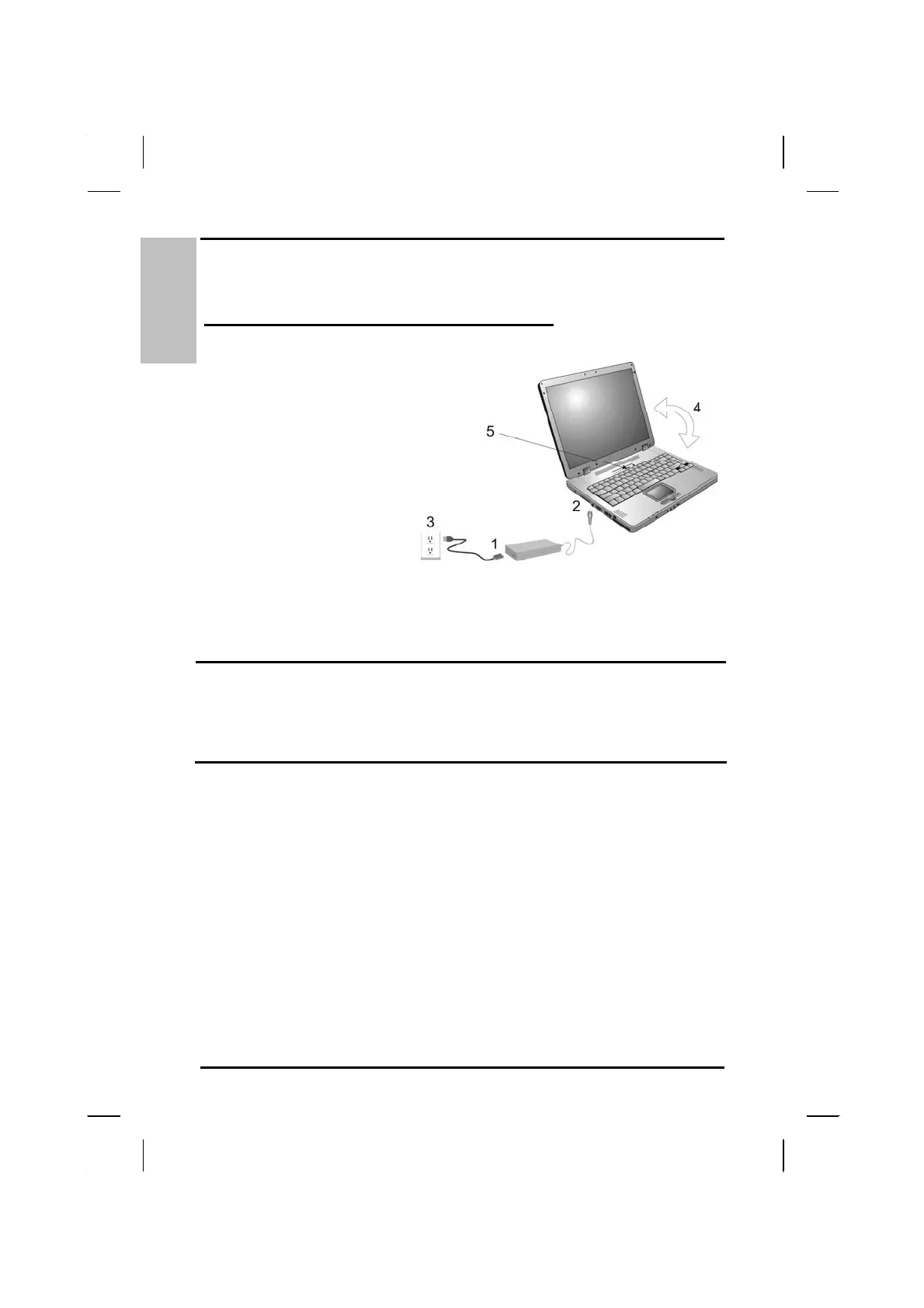
1. Connect the AC adapter
power cord to the AC
adapter.
2. Connect the AC adapter
to the DC power port on
the left side of your
computer.
3. Connect the AC adapter
power cord to an AC
outlet.
4. Open the LCD panel to
a comfortable viewing
angle.
5. Press the power button
to turn on the power.
Note: The battery is not fully charged. Allow your battery to
fully charge before using it (i.e., before
disconnecting AC power). Calibrating the battery before
use is also highly recommended. Refer to Chapter 5,
Power Management, for further information.
Use the touchpad to move the cursor on the screen. Move your finger
across the pad to control the cursor, and press the right and left
buttons beneath with your thumb. These buttons have the same
functions as the right and left buttons of a standard mouse. You can
also click or double-click by tapping on the touchpad. The middle
button can be used to scroll up and down in documents and Web
pages.
8



 To Next Page