ENGLISH
Chapter 2 — Getting Started
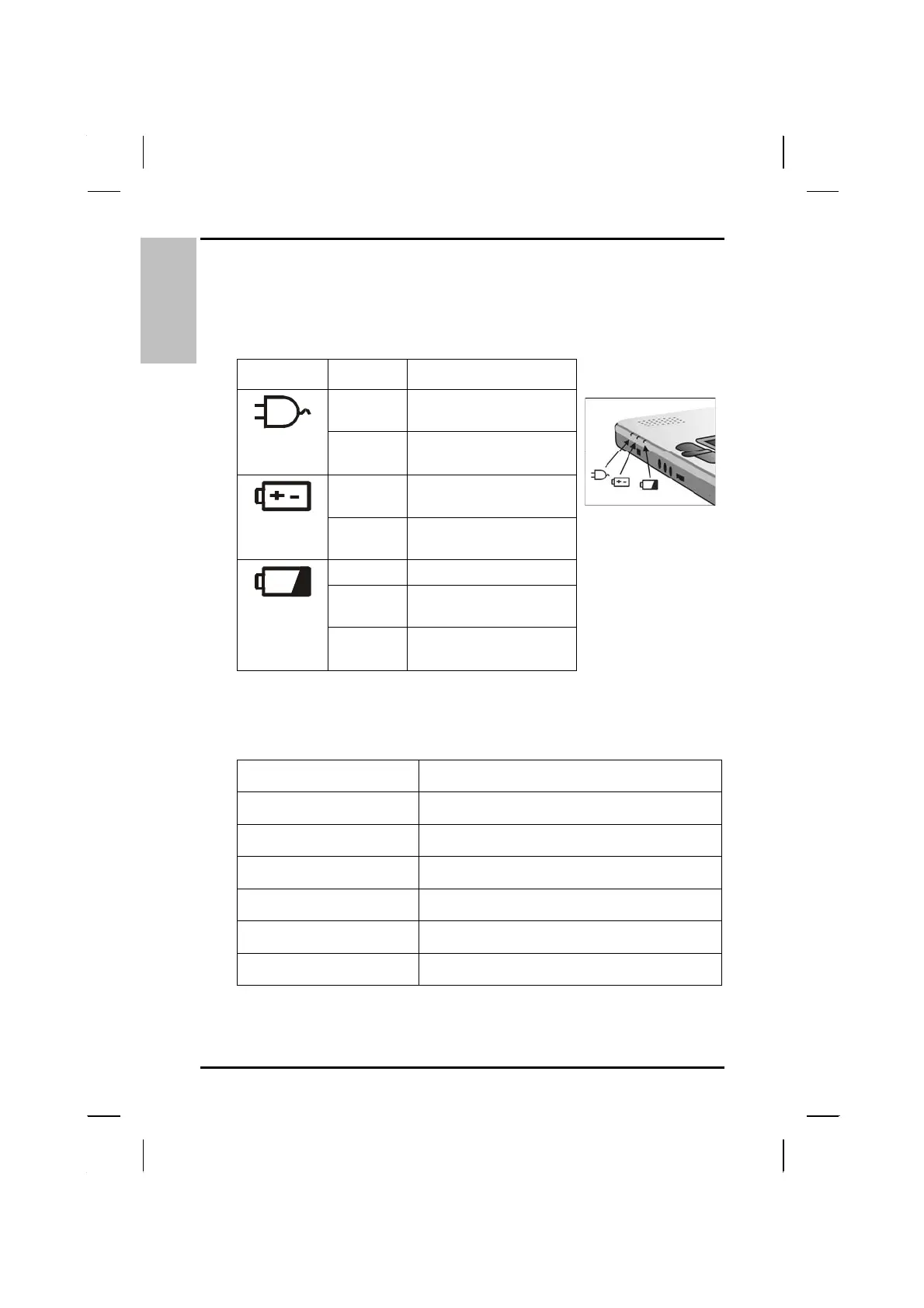
Power Indicators
The power indicators show which power source the system is using. They
also show battery status and low battery power alerts. The power indicators
remain active and viewable even when the LCD panel is closed.
Icon Light Description
Blue
Power is on and the
AC adapter is in use
Flashing
Blue
Power is in suspend
mode
Blue
Power is on and the
battery is in use
Flashing
Blue
Power is in suspend
mode
Green Battery fully charged
Flashing
Green
Battery charging
Red Battery charge fault
indicator
Function Keys
Hold the Fn key while pressing the numbered function key.
Function key Description
Fn + F1
Toggles display on/off
Fn + F2
Toggles between LCD/CRT/TV displays
Fn + F3
Suspend to RAM/HDD
Fn + F6
Decreases LCD brightness
Fn + F7
Increases LCD brightness
Fn + F10
Speaker Mute On/Off
20



 To Next Page