ENGLISH
Getting Started — Left View
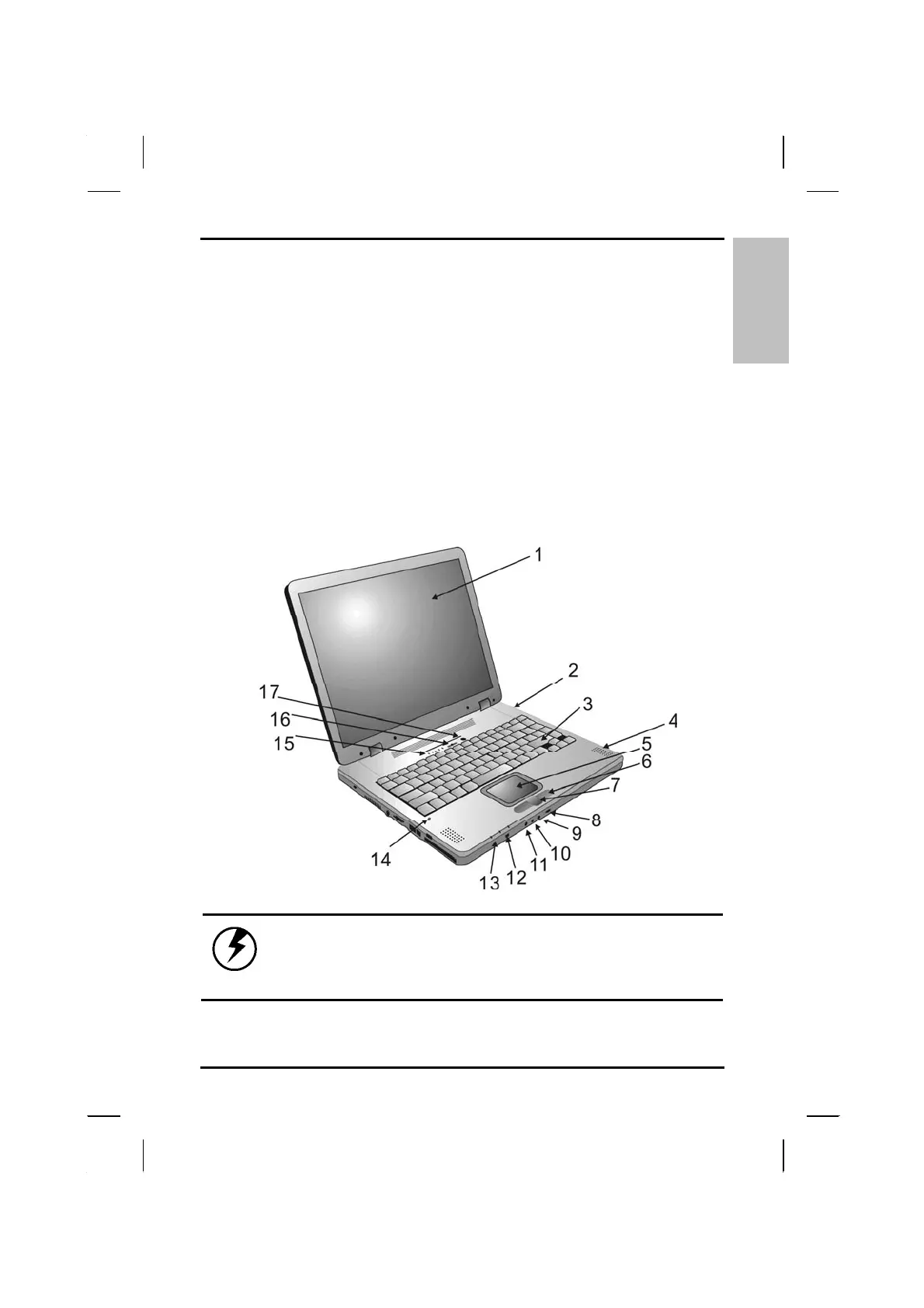
Front View
1. LCD panel
2. Battery
3. Keyboard
4. Speakers
5. Touchpad
6. Touchpad buttons
7. Scrolling button
8. Volume control knob
9. Microphone-in jack
10. Audio-out jack for external
speakers or headphones
11. SPDIF jack
12. IEEE1394 port
13. Power indicators
14. Microphone
15. Activity indicators
16. Power button
17. Wireless LAN power button
Warning: The wireless communications antenna is
located in upper right-hand corner of the cover,
Please avoid hitting it so communications quality
will not be affected.
15



 To Next Page