ENGLISH
Chapter 5 — Power Management
Power Saving Tips
• Avoid operating the fax/modem, or audio and video applications
when using battery power. Operating a fax modem, video, or
audio equipment or turning on the Wireless LAN power button
increases the computer's power requirements.
• Decreasing monitor brightness can also save power. Decrease
brightness by pushing <Fn> + <F6>. Increase it by pushing
<Fn> + <F7>.
When to Replace the Battery
Over time, the battery's capacity gradually decreases. We recommend
that you replace your battery when you notice that it begins to store
significantly less charge.
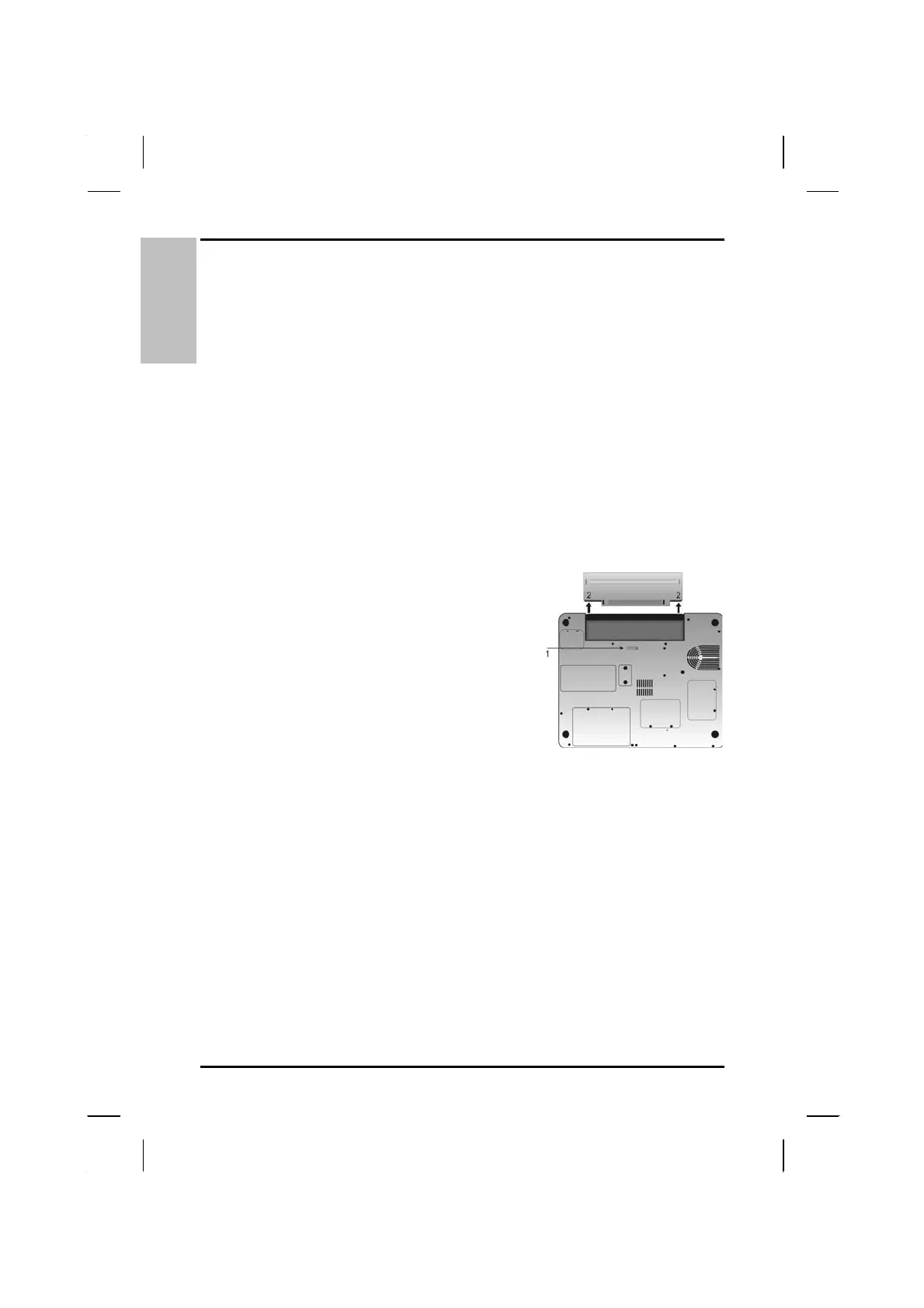
Changing the Battery
Change the main battery pack as
follows:
1. Turn off the computer.
2. Close the screen cover and turn the
computer over.
3. Slide the side battery latch (1) away
from the battery. Continue to hold it
until the battery is removed.
4. Push in the latch on the battery (2)
while lifting the battery out of the
compartment. Remove the battery.
5. Make sure the replacement battery is properly orientated. Slide
back the side battery latch (1) then insert the battery into the
battery compartment. Check that the latch locks back into
position.
Heat Considerations
The computer's processor has been specially designed to consume
little power, and generates very little heat. However, working in a hot
environment, or working for long periods may raise the temperature.
Your computer takes the following steps to lower temperature:
50



 To Next Page