5-3. Setting Constant Voltage
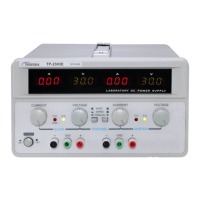
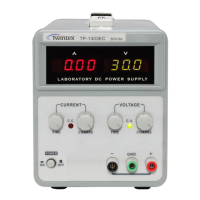
1) Turn on the power supply. The CV indicates lights.
2) Rotate the coarse and fine voltage control to the targeted voltages.
3) Press output ON/OFF button. The OUTPUT indicator lights and the terminals have voltage output.
4) For the models which do not have output ON/OFF function, the output voltage will be supplied cross
terminals immediately after turn on the power supply.
5-4. C.C and C.V Mode
In constant voltage mode, if the output voltage is less than preset value and CC indicator light, it is over
current protection. Unit automatically changed to constant current mode. Should check the load or increase
current set value depends on the situation.
ln constant current mode, if the output current is less than preset value and CV indicator light, the unit
automatically changed into constant voltage mode. Should check the load or increase the preset voltage
value.
6. MAINTENANCE
WARNING
The following instructions are for use by qualified personnel only. To avoid electrical shock, do not perform
any servicing other than contained in the operating instruction unless you are qualified to do so.
6-1. Fuse Replacement
If the fuse blows, the CV or CC indicators will not light and the power supply will not operate. The fuse shall
not normally open unless a problem has developed in the unit. Try to determine and correct the cause of the
blown fuse, then replace only with a fuse of the correct rating type.
The fuse is located in rear panel.
WARNING. For continued fire protection, replace fuse only with 250V of the specified type and
rating. And disconnect the power cord before replacing fuse.
WARNING. To protect the transformer and circuits of the unit, a fuse of the correct rating and type
must be used. Refer to below for correct fuse ratings.



 To Next Page