14
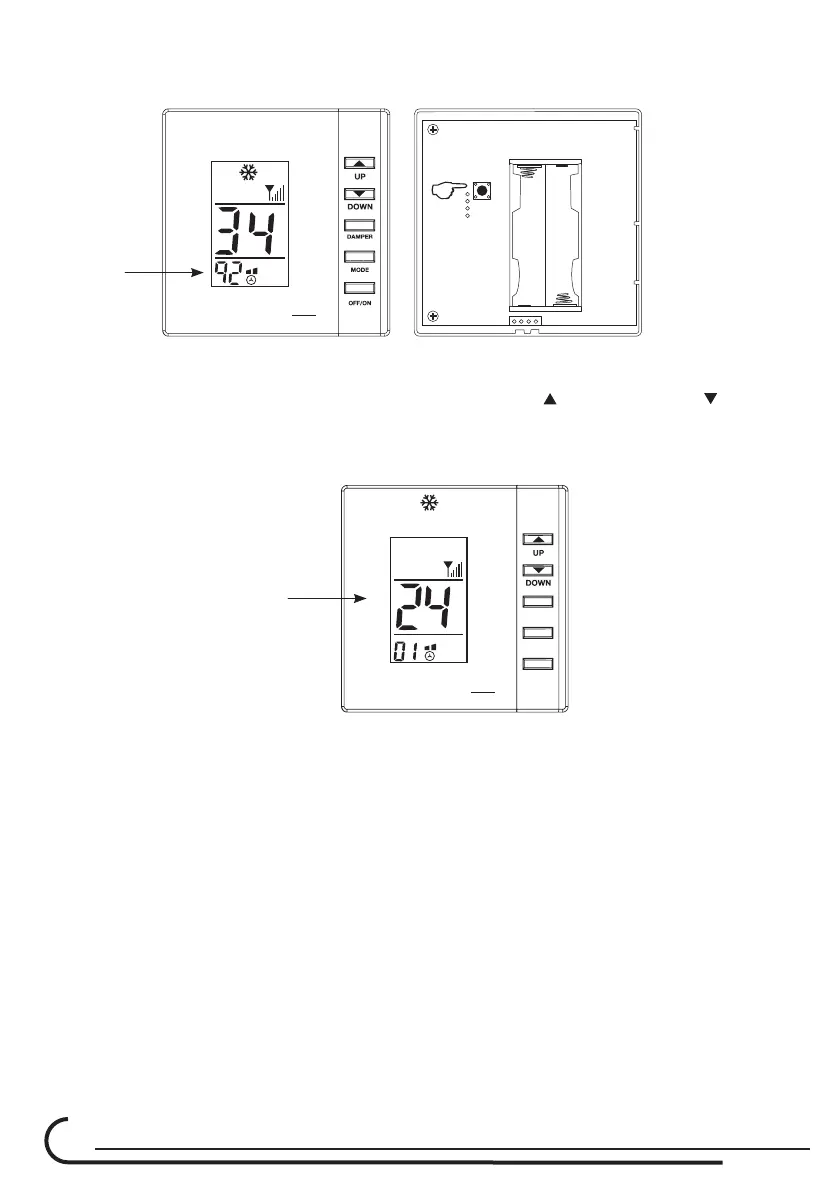
you can modify the two large numbers, - (These are the ID code
thousands and hundreds digit, 34 out of the 3492).
2.5. Press the switch at the back side again and now set the tens and units
numbers (92 out of the 3492), by pressing the
Up and Down buttons.
2.6. Press the switch again and now set the number of the Room
corresponding to the thermostat and damper number.
ROOM
°C
DAMPER
MODE
OFF/ON
RFPR
O
2.7. Press the switch again and check the level of the RF signal is satisfactory
minimum 2 veritcal lines and that there is communication between each
thermostat and its damper.
NOTE:
• By turning OFF the master thermostat, Thermostat Number D1, all
system will turn OFF.
RFPR
O



 To Next Page