8
GENERAL
Stand Along Operation – Every room operates as stand along.
• At each room user should select:
• Cool or Heat
• Damper position 1/3, 2/3, 3/3 Auto
• Turn ON and OFF.
• Select the desired Temperature Set Point
Operation Instruction
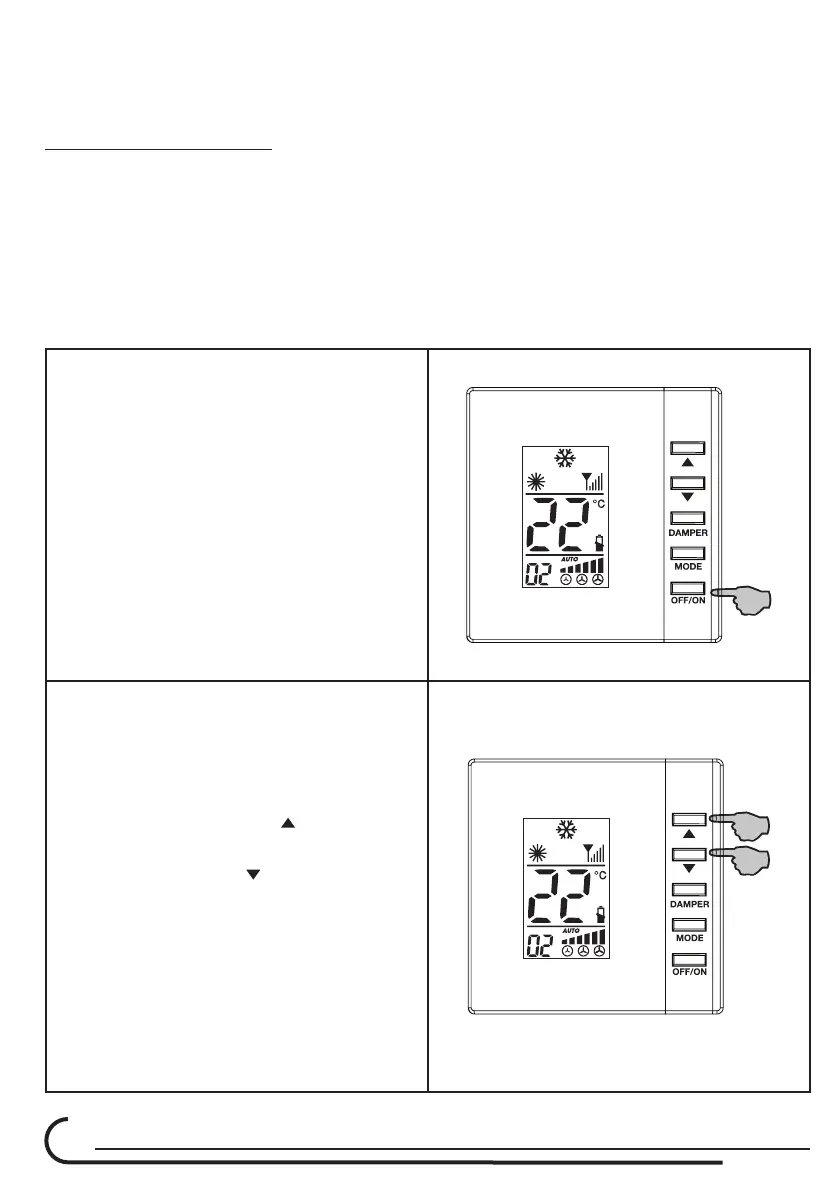
POWER BUTTON
Turning unit ON & OFF
To turn on the UNIT press the ON/OFF
button (1).
The LCD display will light up and the
UNIT will start to operate.
Pressing the ON/OFF button (1) while
the UNIT is ON will turn OFF the unit.
UP/DOWN buttons
SELECTING TEMPERATURE
To select the set-point temperature
press the UP/DOWN buttons (2).
Pressing the UP button
will raise the
set-point temperature.
Pressing the DOWN
button will lower
the set-point temperature.
To see the Room temperature - press
the UP/DOWN buttons at same time.
The thermostat will revert to showing
the set point after 3 seconds.
With the UP/DOWN buttons the ID
code can be set.



 To Next Page