6
• Mount the thermostat securely to the wall at height of about 5 Feet (1.5 M)
from the floor.
• Use electrical hand drill to drill two 1/4” (6 mm) holes in the wall for the
plastic anchor.
• Open the back side of the thermostat and mark the location of the holes.
• Use the screws supplied to mount the thermostat back on the wall.
• Install the thermostat back in to the back side on the wall.
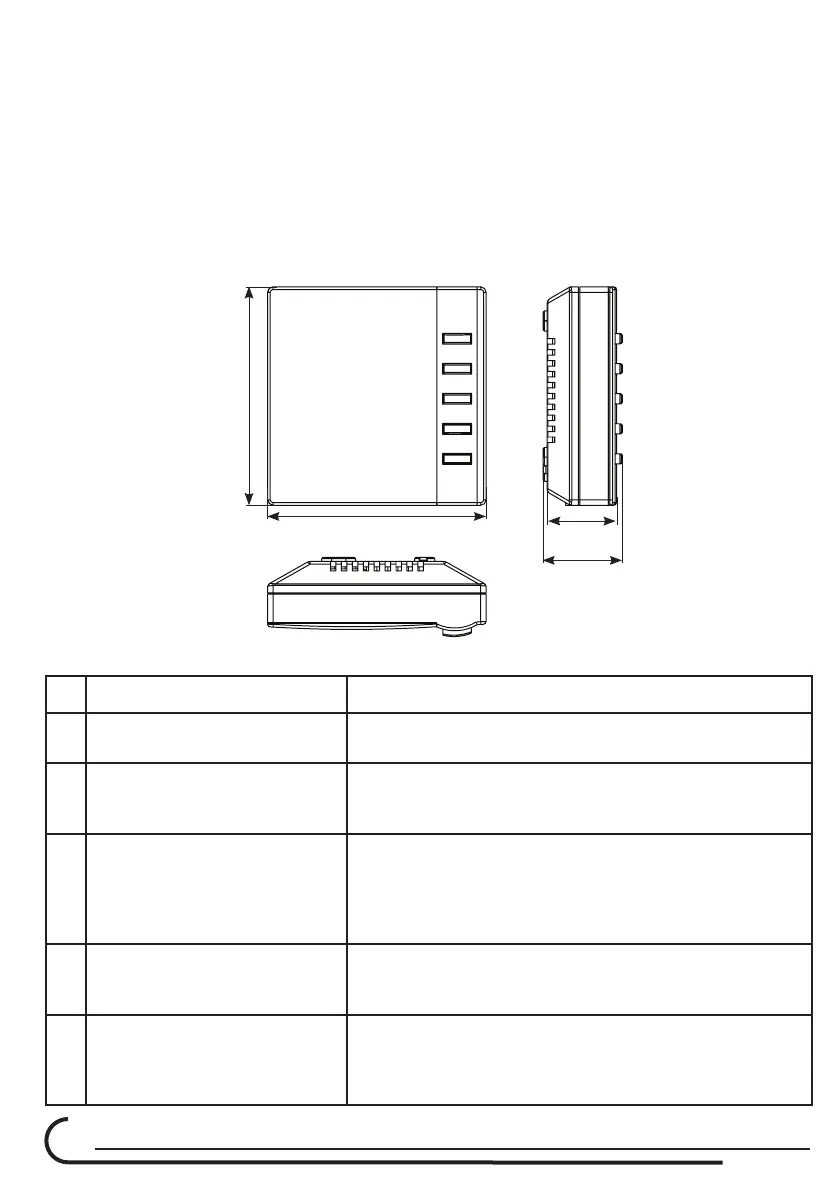
C680RF Thermostat Mechanical Dimensions in mm:
80
80
25.50
29.11
Troubleshooting
Problem Solution
1
Thermostat do not turn ON
Check the batteries if they are installed well and if
they are good.
2
C210 Controller – LED’s do
not light up.
Check that the transformer 12 volts plug is inside
the C210 socket and that the 230 VAC part of the
transformer is getting 230 VAC.
3
Damper do not Open or
Close
Check the thermostat ID address
Check for cross connection between channels at
the C210 to the dampers at each room.
Motor is not connected to the controller.
RJ45 cable is damaged.
4
No communication between
thermostat and C210
Controller
Check that the ID address of the thermostat is the
same as the address written on the label at the
side of the C210 control box. (4 digits)
5
Bypass damper to not
operate.
Check the cable connection between the Bypass
motor and the C210 controller.
Open one room only and check that the Bypass
opens.



 To Next Page