Standard Frequency Series Generators
Operation
12
M-2008-7-14
3.2 EXPOSURE CONTROLS AND INDICATORS
Radiographic exposures from the Control Console are made with the “Prep” (preparation) and “Expose” x-
ray exposure) push-buttons or with an optional handswitch. The status of the exposure is indicated by the
“Ready” and “X-ray On” indicators for the duration of the exposure.
PREP: Press the “Prep” push-button to prepare the X-ray tube for exposure. The green “Ready” indicator on
the Console will light when the X-ray tube is prepared and there are no interlock failure or system faults.
After pressing this push-button, the following functions are activated:
• Anode Rotation.
• Filament current is switched from off to the selected mA.
EXPOSE: After the “Ready” indicator is illuminated, press this push-button to start a X-ray exposure. If the
push-button is released before the generator completes the selected time, the exposure will be pre-maturely
terminated.
The amber “Exposure” indicator remains illuminated during the length of exposure.
READY: Indicates that the technique selected is properly set, there are no interlock failures or system faults,
the anode is rotating and the X-ray tube is ready for exposure.
EXPOSURE: Indicates that the X-ray exposure is in progress. At the same time that radiographic exposures
are being made, an audible signal sounds.
3.3 X-RAY HANDSWITCH (OPTIONAL)
Radiographic exposures can also be initiated with an X-ray hand switch which can be attached to the x-ray
console.
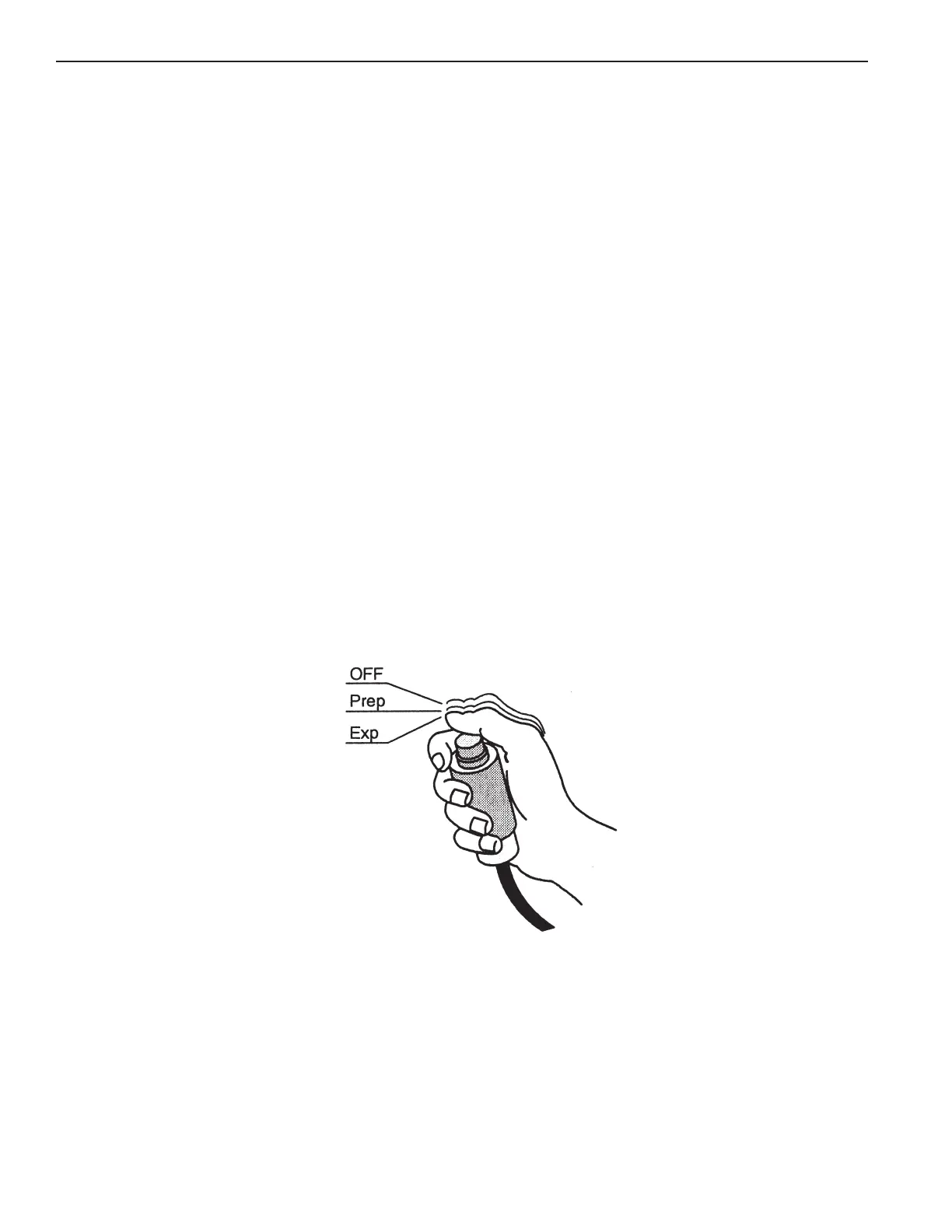
The X-ray hand switch button has three positions: “Off”, “Preparation” and “X-ray Exposure”, which operates
in the same way that “Prep” and “Expose” pushbuttons operate on the control console.
Press the hand switch half-way for “Prep” and fully for “Exp”.



 To Next Page