MM23772, Rev. B
79
9.2.2 Keypad (P7250 “Scan” and P7270 “System” Models Only)
The keys on the keypad have special functions and are labeled using a symbol or abbreviated word
describing its primary function. Numeric entry is a secondary function of the keys. Each key is described
in the following subsections.
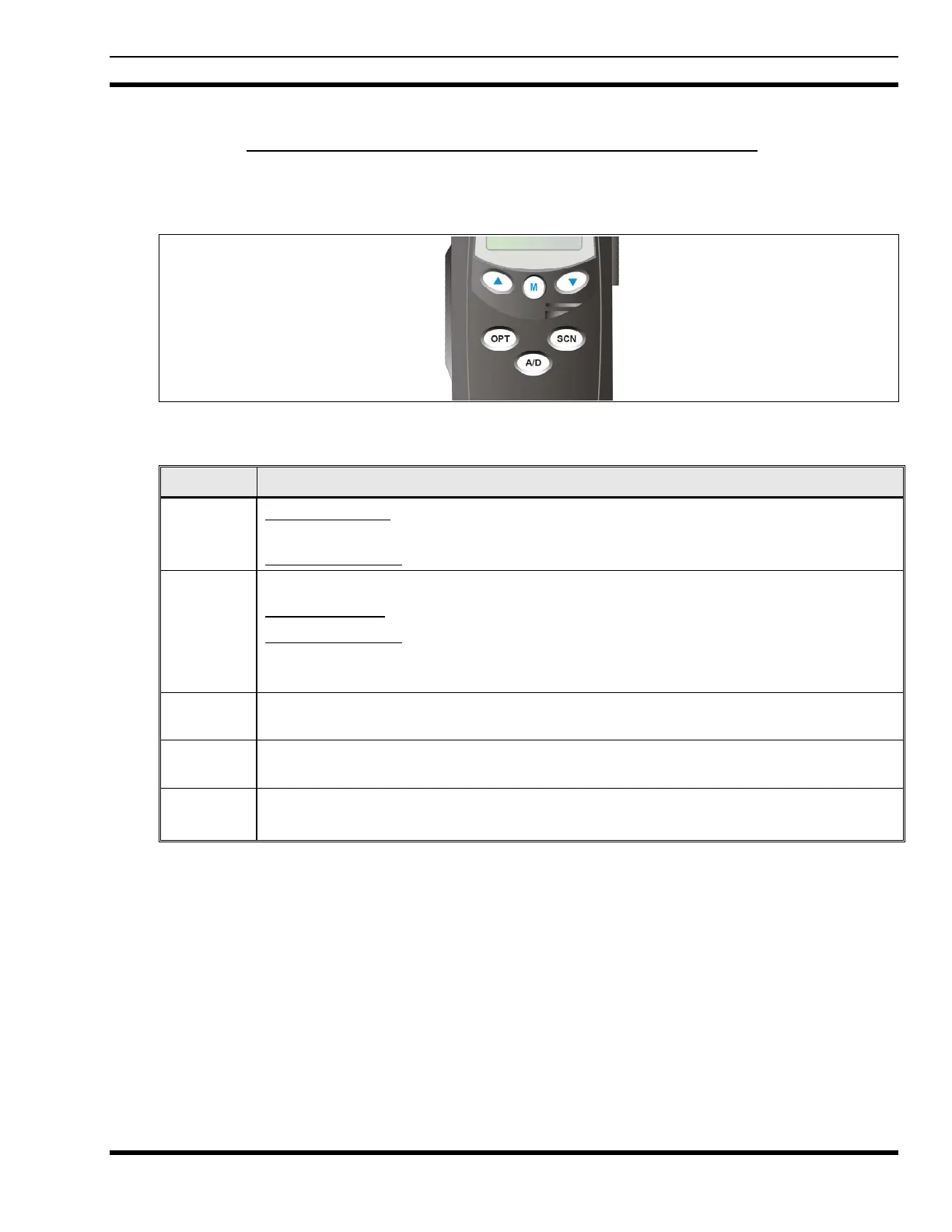
Figure 9-2: P7250 “Scan” Radio Front Panel
KEY FUNCTION
Primary Function: Allows the user to scroll through available systems, groups, or channels,
depending on personality programming.
Secondary Function
: Changes the selection for an item within a list.
Primary Function: Accesses the pre-stored menu.
Secondary Function
: Activates a selected item within a list. This is similar to an “Enter”
key.
Adds/Deletes selected groups or channels from the Scan list of the currently selected
system.
Turns the Scan operation ON and OFF.
Activates one of a number of programmable software options.



 To Next Page