MM-008212-001, Rev. A
17
Do NOT leave any M/A-COM rechargeable batteries in a charger for more than a few days.
4.4 CHANGING THE BATTERY PACK
4.4.1 Removing the Battery Pack
Make sure the power to the radio is turned OFF.
CAUTION
Although the P5300 has been designed to tolerate changing the battery pack without
turning power off, M/A-COM, Inc. recommends turning the radio off before changing
battery packs to ensure safety and best operation.
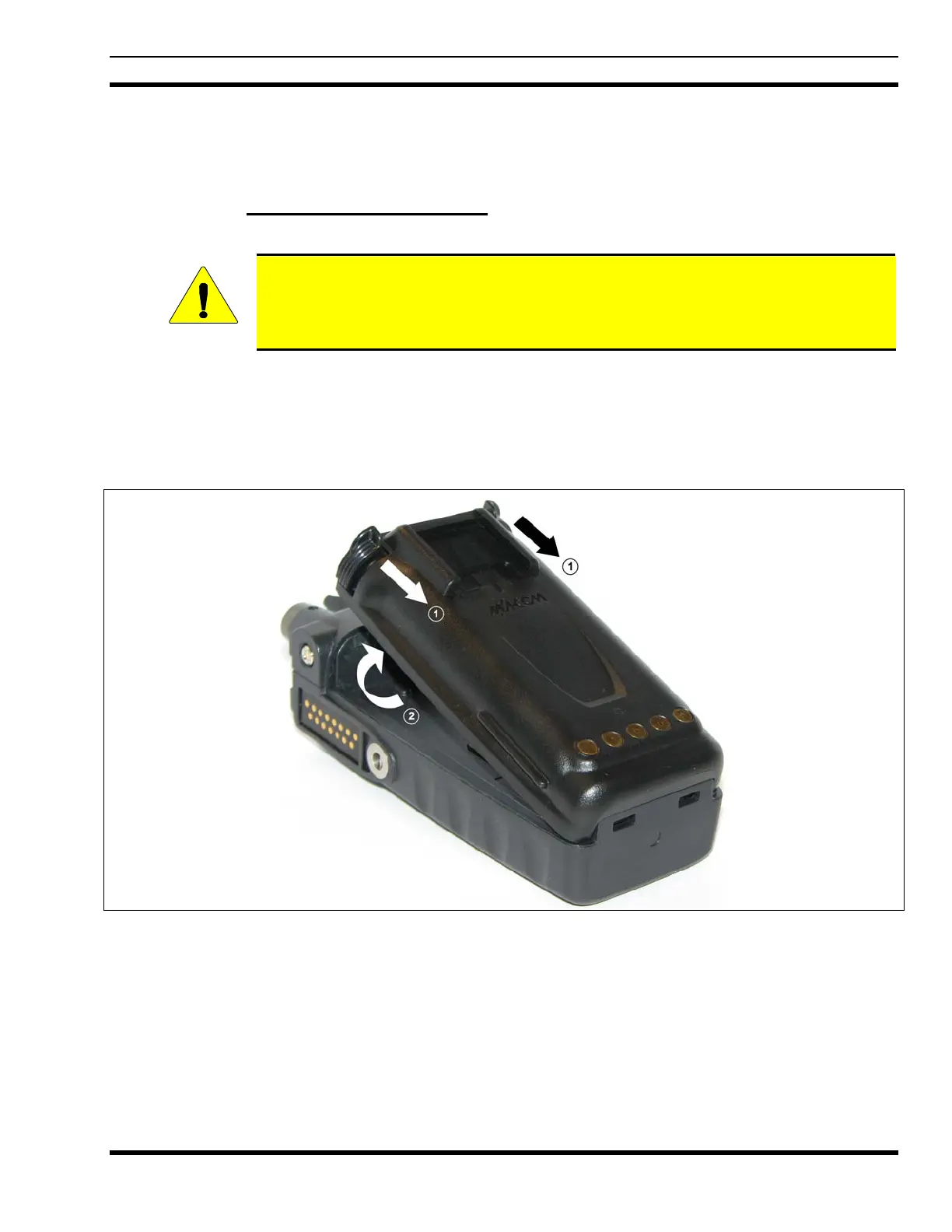
1. Press or pull both latches on either side of the battery pack toward the bottom of the radio
simultaneously.
2. Pull the battery away from the radio.
3. Remove the battery pack from the radio.
Figure 4-1: Removing the Battery Pack


 To Next Page