MM-008212-001, Rev. A
30
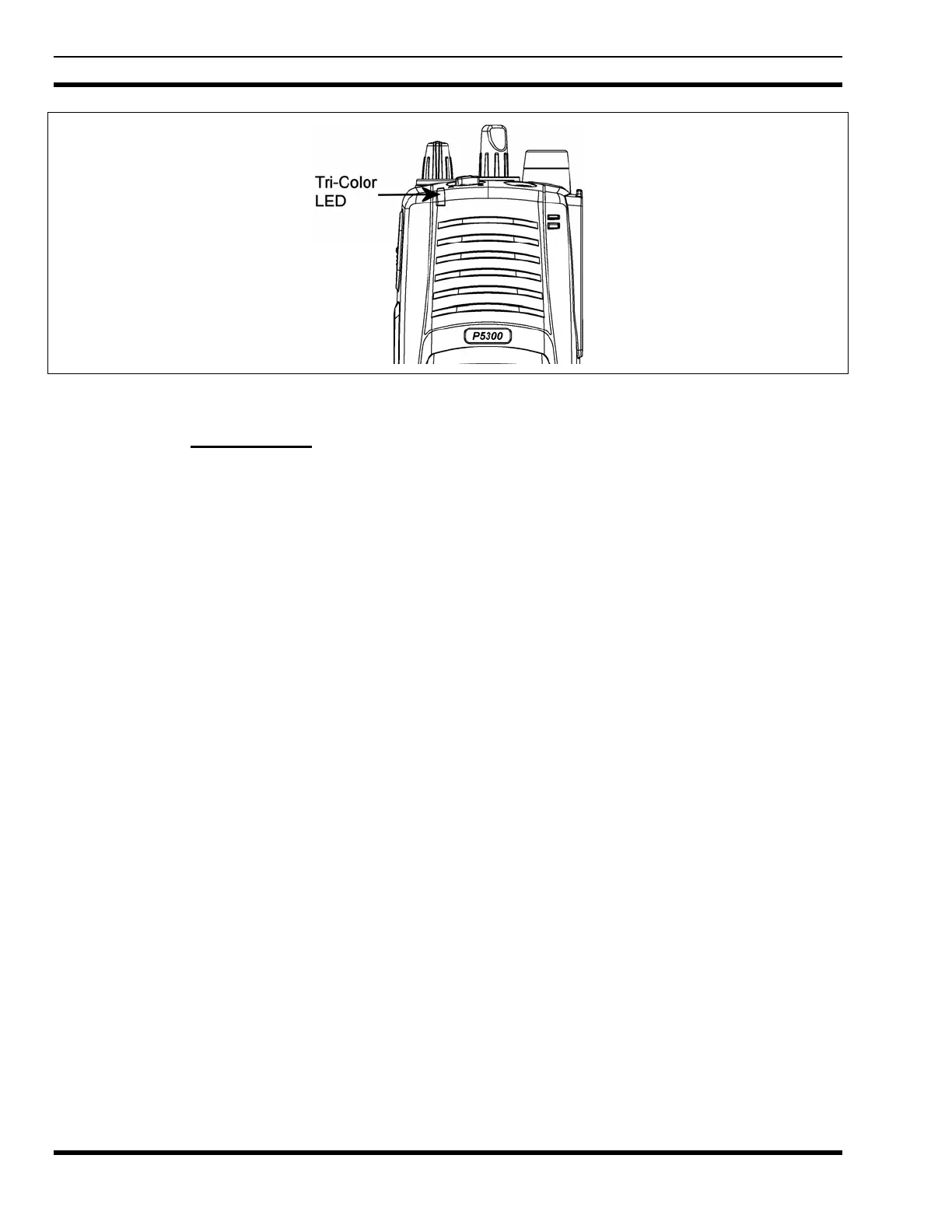
Figure 7-8: Tri-Color LED
7.1.4 Tri-Color LED
The Tri-Color LED changes color to indicate radio status and is visible from both the front and top of the
radio (see Figure 8-2). In OpenSky mode only two radio states are refle
cted by the LED and the status
they represent are:
Green: Receiving
Red: Transmitting
If the LED is flashing rapidly, the radio is receiving an emergency call. If the
LED is flashing every ½ second, the selected talk group is in the emergency state
(although not transmitting). If the selected talk group is in the emergency state,
an asterisk will be displayed next to the talk group name.
7.2 UNIVERSAL DEVICE CONNECTOR
The Universal Device Connector (UDC) provides connections for external accessories such as a headset
or a speaker-microphone and for programming cables. The UDC is located on the right side of the radio,
opposite the PTT Button. The UDC facilitates programming and testing the radio. The UDC pins
perform different functions depending on the accessory attached to the UDC.


 To Next Page