
 Need help?
Do you have a question about the Tyler TTV708-13 and is the answer not in the manual?
Details warnings about electric shock, not opening the unit, and avoiding moisture.
Covers battery installation, explosion risks, and heat exposure.
Explains the importance of proper electrical grounding for the AC plug.
Lists all items provided with the portable TV.
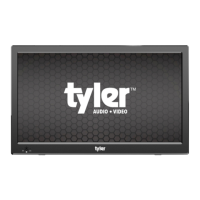
Identifies and describes the physical parts of the TV unit.
Details the functions of the primary buttons on the remote control.
Describes DC input, headphone jack, and AV-OUT functions.
Details AV-IN, HDMI input, and antenna connection ports.
Explains the use of SD/MMC and USB ports for media playback.
Explains power switching, picture/sound presets, and mode selection.
Details how to navigate channels, menus, and adjust volume.
Describes keys for playing, pausing, and navigating media files.
Explains functions like MTS, EPG, Sleep Timer, and Repeat mode.
Provides guidance on distance and angle for effective remote control use.
Details the process of inserting AAA batteries into the remote control.
Guides users on connecting the power adapter and external antenna.
Explains how to use the remote's number keys for channel tuning.
Covers charging and using the internal rechargeable battery.
Guides users on choosing active TV input connections like TV, HDMI, AV.
Details options for Air/Cable, Auto Scan, Favorites, and Show/Hide channels.
Explains software updates via USB and viewing DTV signal quality.
Provides advice on finding broadcast towers and aiming the antenna for better reception.
Offers tips for optimal antenna placement near windows and at height.
Guides on selecting picture presets, color temperature, aspect ratio, and noise reduction.
Explains sound modes, balance, auto volume, and surround sound options.
Covers setting the clock, auto on/off times, and sleep timer.
Details OSD language, closed caption, setup wizard, and factory reset.
Explains setting passwords and blocking programs based on ratings.
Guides on selecting FM radio mode and automatically scanning for stations.
Details how to tune frequency, select channels, and switch between stations.
Lists compatible formats for photos, music, and videos.
Guides on playing photos, music, and movies from a USB drive.
Details screen type, resolution, signal compatibility, and frequency ranges.
Lists power adapter, battery, consumption, dimensions, and FCC notice.
Explains the one-year warranty terms, what is covered, and what is not.
Outlines the procedure for obtaining warranty repair or replacement and contact information.
 General
| Brand | Tyler |
|---|---|
| Model | TTV708-13 |
| Category | Portable TV |
| Language | English |

 To Next Page