16
Page
4. US: Prevent programs from being viewed based on
US TV or MPAA rating guidelines.
6. Reset RRT: Refresh the Rating Region Table if you
5. Canada: Prevent programs from being viewed
based on Canadian English or French guidelines.
are having problems with the US or Canada rating
guidelines.
7. Unrated: Enable or disable the ability to watch un-
rated programs.
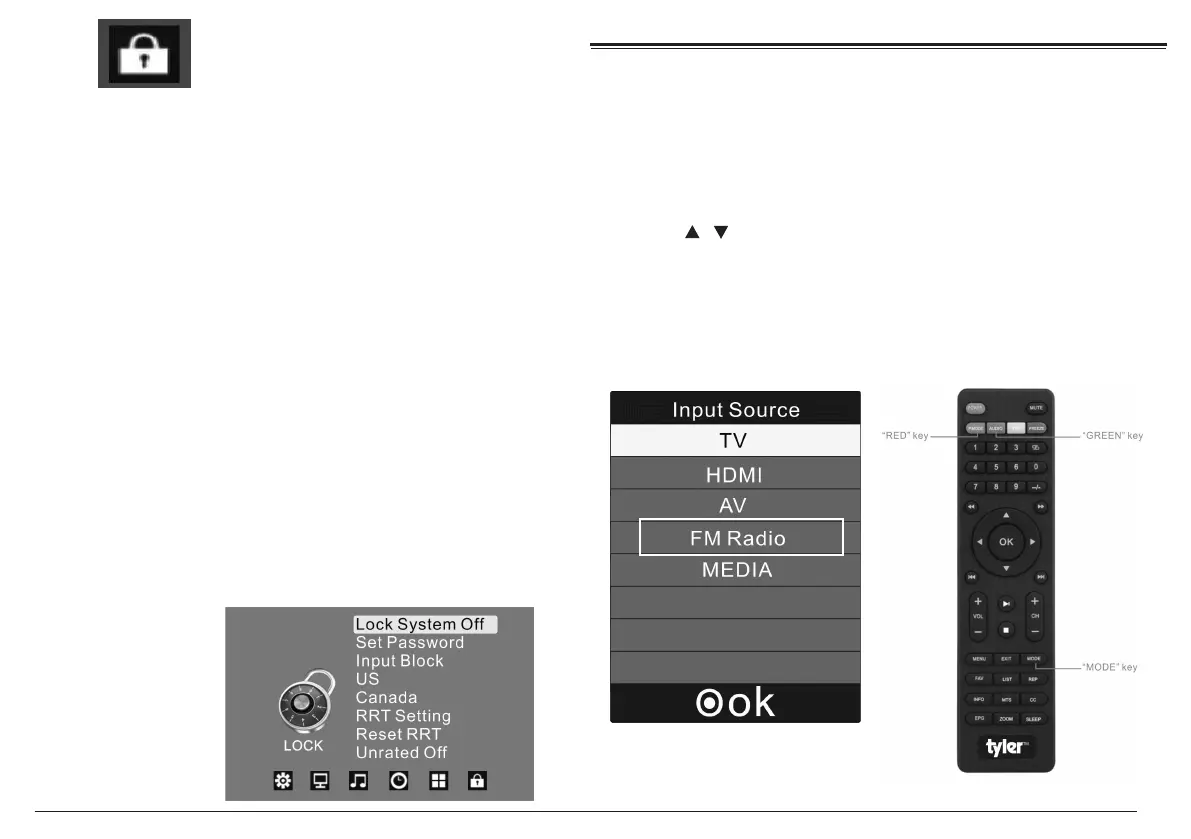
Lock
Use the remote control to enterthe default password
(0000) to access the Lock options.
1. Lock System: Enter the default password of (0000)
to access the Lock Options to enable or disable.
2. Set Password: Set a new password. WHen you
change the password, write it down and store it
in a safe place. Resetting the factory options will
not reset the password.
3. Input Block: Completely block the TV mode or the
AV modes.
FM Radio Receiving:
Press "MODE" to select " FM Radio" mode, and then
press the RED key on remote to scan and save the
FM frequency channels automaticlly.
Press / to switch the FM channels.
Press the GREEN key on remote to close or open
the display screen, and this operation won't take
affect on the radio receiving.
1.
2.



 To Next Page