10
Basic Operation
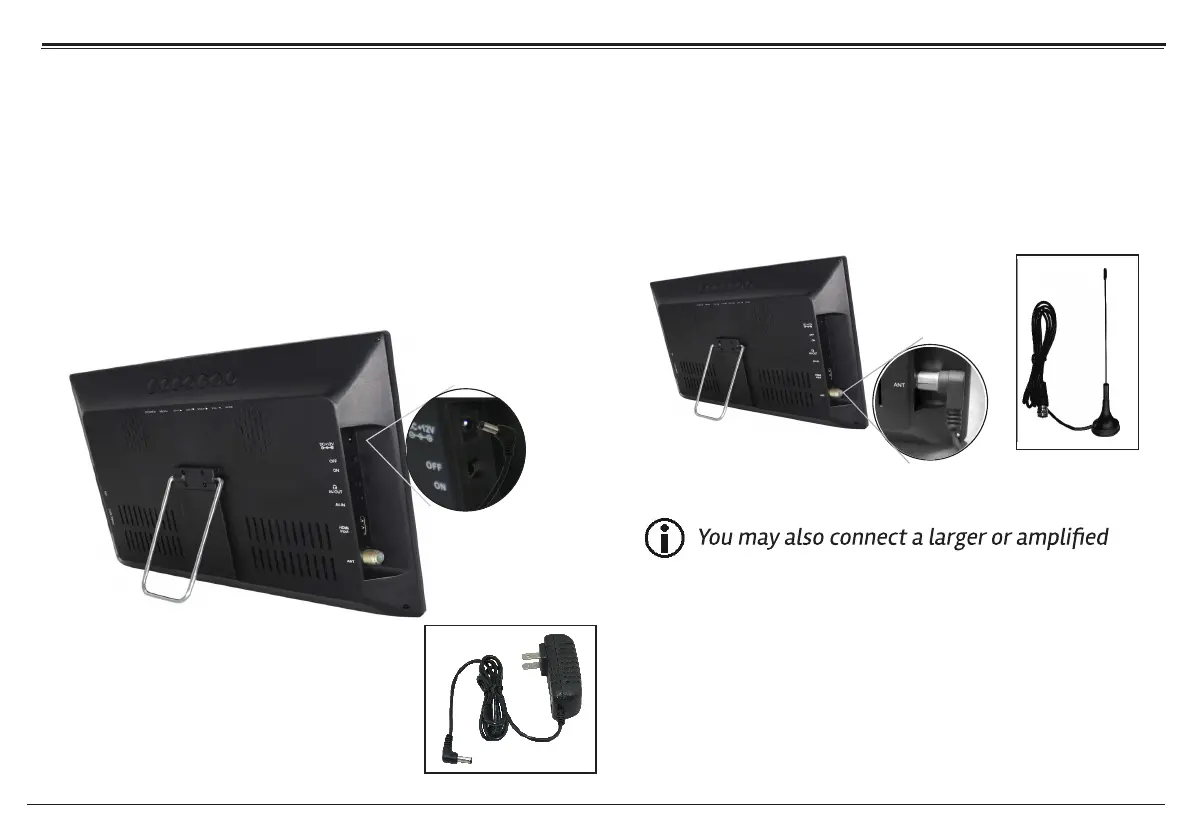
Connect the Power Supply
Use the supplied power adapter to connect the DC In-
put jack [19 ] on the TV to a power supply. The AC power
adapter works with AC 100-240V outlets; the DC car
adapter works with the power socket found in most
motor vehicles.
1.
Connect the Antenna
Use the supplied external antenna for improved TV
reception. Connect one end of the
to the Antenna Input jack [12 ] of the TV.
antenna for improved reception.
External Magnetic Sucker Antenna
External Magnetic
2.
Sucker Antenna
Page
Using the Number Keypad
Use the number keypad (0-9) on the remote to tune di-
rectly to a channel or to input a value when prompted
on a menu or option screen.
3.


 To Next Page