SETUP
To pair with your iPad:
1.
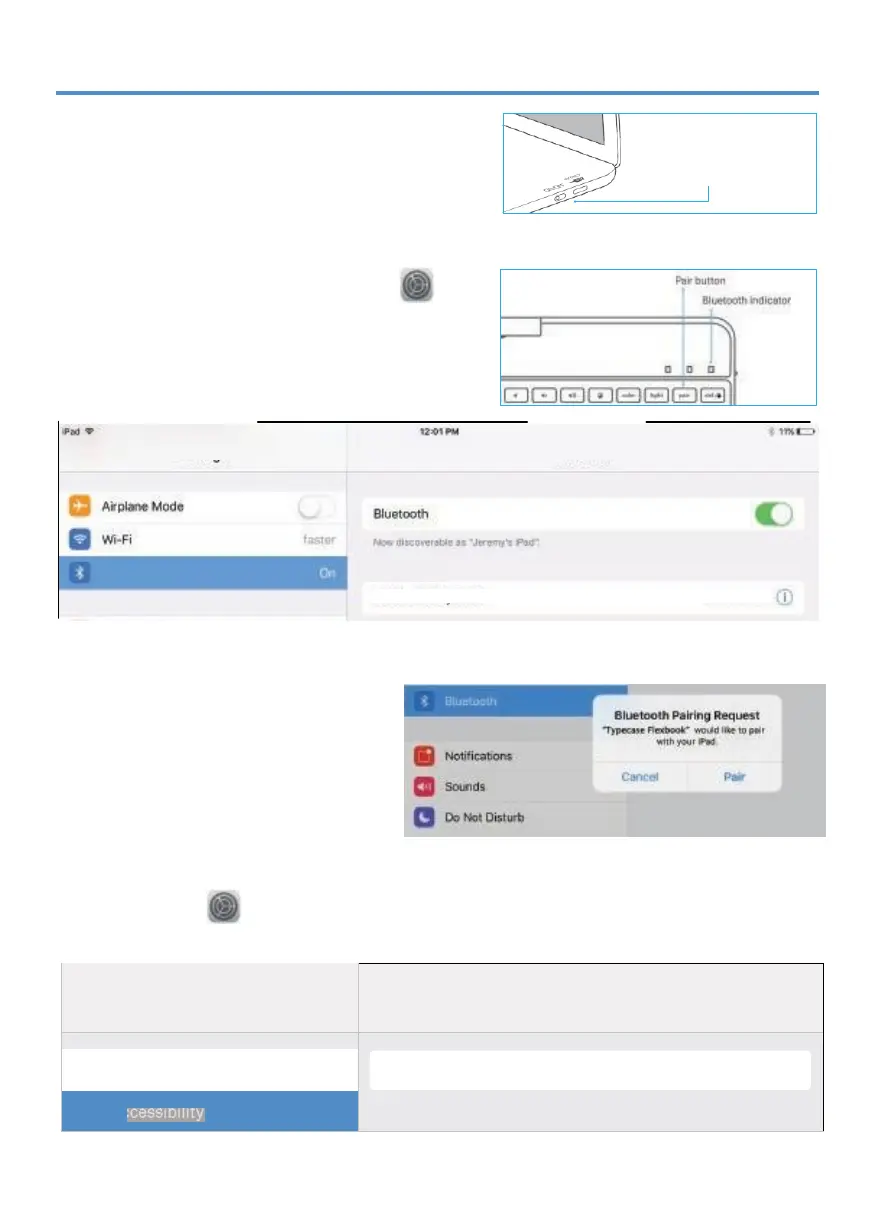
Switch
ON/OFF
switch to
ON
position.
2.
Bluetooth indicator light will start blinking.
If Bluetooth indicator light does not start
blinking, press and hold the
'Pair'
button
for
3 seconds.
3.
Toggle Bluetooth ON in the Settings app
(device is connected when Bluetooth
indicator stops flashing).
4.
Tap
'Typecase Flexbook'
under
'MY DEVICES'
in the Bluetooth section of the Settings app.
5.
Tap 'Pair' in the pop-up window like
shown below.
*
When pairing to new devices, please
repeat steps 1-3.
Pairing process is considered complete
after 'Connected' indicator appears.
If your system is 13.3.1, please follow the steps to enable touchpad function:
1.
Go to Settings > Accessibility > Touch .
2.
Make sure Assistive Touch option is turned On .
12:04PM 11% L:::J
( Accessibility Touch


 To Next Page