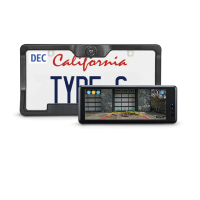
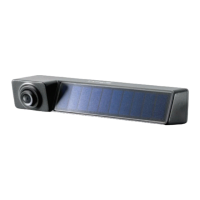
Need help?
Do you have a question about the TypeS BT530033 and is the answer not in the manual?
Steps for installing the dash monitor using the dash mount.
Steps for installing the dash monitor using the windshield mount.
Instructions for powering up the dash monitor and its activation.
Guidance on how to charge the wireless backup camera.
Standard method for attaching the wireless backup camera to the vehicle.
Installation for vehicles with trunk/hatch release for better access.
Installation for trucks/SUVs with step bumpers to raise camera clearance.
Switch between different screen modes with multiple cameras.
Explanation of the battery level indicator on the monitor.
Steps to pair the backup camera with the monitor.
How to reverse the camera view on the monitor.
Instructions for adjusting the screen brightness.
How to adjust the screen contrast.
Setting the duration for the parking view display.
Configuring motion detection range for the camera.
Turning parking aid lines on/off and adjusting their position.
How to adjust the camera view direction on the monitor.
Information on camera power states and LED indicator meanings.
Message on the dash monitor indicating low camera battery.
Essential safety guidelines and warnings for product usage.
Warnings about misuse leading to accidents, property damage, or injury.
Guidance on safe and proper use of the backup camera as an aid.
Emphasis on not relying solely on camera view; check surroundings.
Safety tips for avoiding back-over accidents involving pedestrians and children.
Instructions for cleaning the camera lens and monitor.
Specific terms and duration of the limited express warranty.
Conditions required for warranty claims and repairs.
Owner's duties for warranty service and obtaining support.
Legal disclaimers regarding product warranties and liability.
How to contact customer service for product issues or returns.
Information regarding compliance with FCC and IC regulations.
Guidelines for maintaining compliance with RF exposure requirements.
Information about the responsible party for the product.
 General
| Brand | TypeS |
|---|---|
| Model | BT530033 |
| Category | Automobile Electronics |
| Language | English |

 To Next Page