18
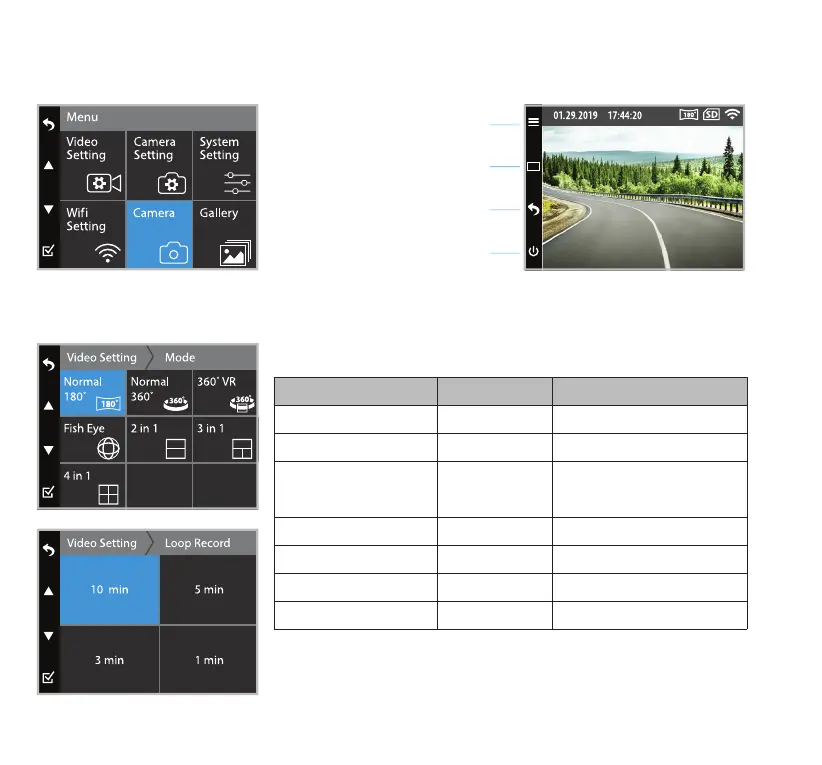
Refer to the screen display below for the buttons and their corresponding functions under Camera Mode.
Video Setting
Video Mode
Loop Record
Mode Resolution Frame Per Second (fps)
Normal 180˚ 1920 X 1080 30
Normal 360˚ 2048 X 416 30
360˚ VR (Time stamp
on video playback will
appear distorted)
1920 X 960 30
Fish Eye 1728 X 1728 30
2 in 1 1440 X 1080 30
3 in 1 1440 X 1080 30
4 in 1 1440 X 1080 30
Select the duration of each recorded footage.
Camera Mode
Setting (press once)
Snapshot (press once)
Back to Video Mode (press once)
Turn o screen (press once)
Master On/O (press & hold for 3 sec)



 To Next Page