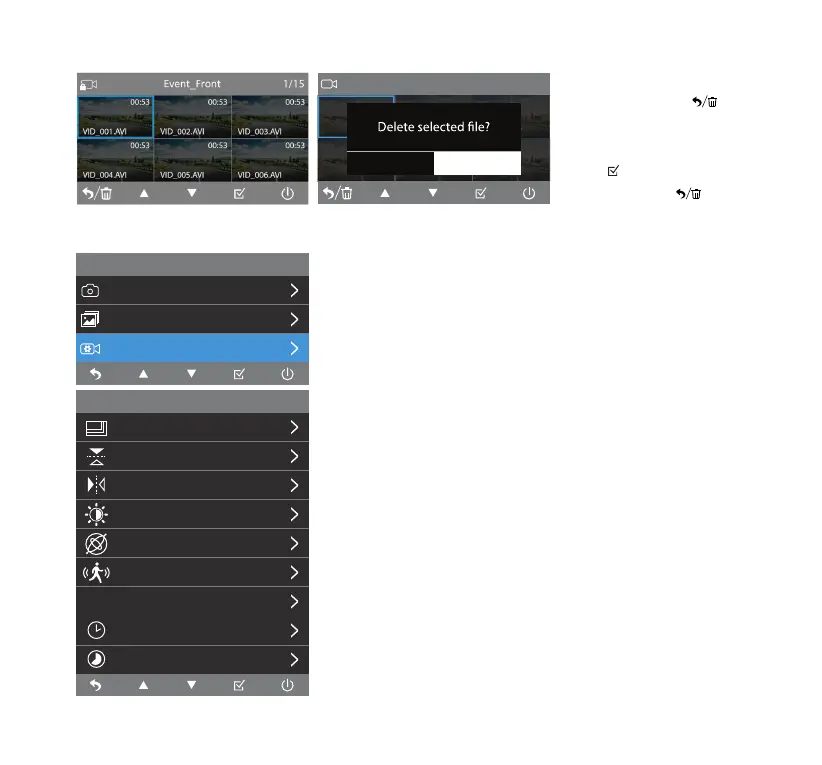
Video Setting
Resolution
4K+2K
OFFFlip Vertical
Flip Horizontal OFF
OFF
OFF
OFF
OFF
5 Mins
G-Sensor
Motion Detection
Exposure
Parking Monitor
P
Loop Record
Time Lapse
Menu
Video Setting
Gallery
Camera
Photo
Video
1/15
00:53
VID_001.AVI
00:53
VID_004.AVI
00:53
VID_006.AVI
00:53
VID_005.AVI
00:53
VID_003.AVI
00:53
VID_002.AVI
OK Cancel
12
Resolution
• Switch between 4K+1080P and 2K+1080P resolution.
• You may also switch between 4K+1080P+1080P and
2K+1080P+1080P after pairing with the 1080P Rear Camera.
Flip Vertical
• Select to invert the rear camera image upside down.
Flip Horizontal
• Select to invert the rear camera image left to right.
NOTE: Flip Vertical and Flip Horizontal are only available when
the add-on 1080P Rear Camera (BT532838) is connected.
Video Setting
Erase Files
• In previews, click to
delete the selected le or all
les in the current folder.
• Click to conrm the erase.
• Press and hold to return
to folder selection.



 To Next Page