67
6
5
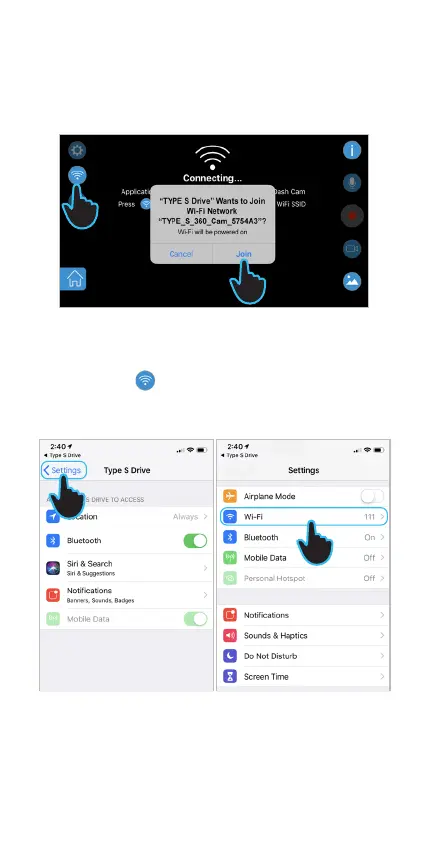
7. Tap Settings on the APP permissions setting page.
8. Scroll to the top, and tap to enter the WiFi setting page.
iOS Device
(Follow step 1 - 4 from previous instruction)
5. Tap Join when the APP prompts you to join the
TravCa Dash 360's WiFi network "TYPES_TRAVCA_
DASH_360_XX" ......
6. Or tap the
WiFi setting icon to go to
APP permissions setting page.
7
8



 To Next Page