79
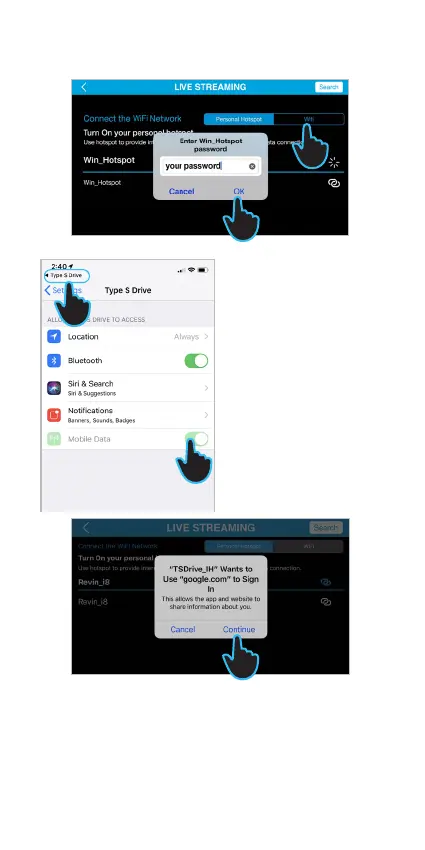
4. Turn of Mobile Data and turn it on again.
5. Turn on Mobile Hotspot to allow others to join.
6. Tap Type S Drive icon to return to the APP.
7. Type in the password of your mobile hotspot
and tap OK.
8. Tap Continue to sign in your Google account.
3
7
3. Choose WiFi or mobile
hotspot connection.*
*If you choose to connect
to your mobile hotspot,
please locate it and follow
step 4-6. Otherwise, if you
choose to connect to WiFi,
then choose your SSID and
enter the password, and
then follow step 7.
6
4
8



 To Next Page