7
Activating Integrated EFTPOS
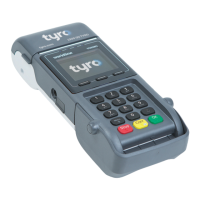
To process Integrated EFTPOS and/or Easyclaim, your
terminal must be paired with your POS/PMS.
To set up integration on your POS/PMS call your POS/
PMS software provider.
To pair the terminal, go to Menu> Conguration>
Pair with POS. Your merchant ID and terminal ID will
be displayed on the terminal screen. You can use this
information to input into the POS/PMS software. Once
successfully paired, the POS/PMS name will appear on
the terminal screen. If the terminal does not react to a
POS/PMS initiated transaction, follow the instructions
that appear on your POS/PMS display, or call Tyro
Customer Support.
Merchant Portal
Access your Tyro Merchant Portal (merchant.tyro.
com) to view: Costs, Fees, Invoices, Statements, All
Transactions, Surcharging, Validate your information,
Change settlement times, Business forms and more.



 To Next Page