PAGE 1 OF 9 0421 IH-479
RUBBERMAID
®
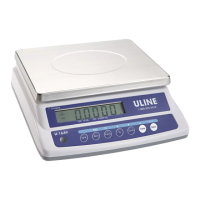
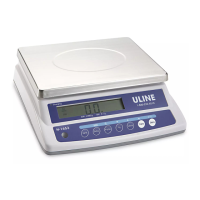
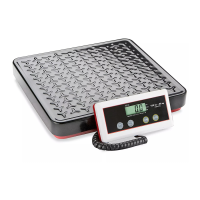
DIGITAL SCALES
1-800-295-5510
uline.com
H-479, H-480
SETUP
OPERATION
POWER SUPPLY
BATTERY USE: Battery compartment is located on
underside of the display indicator back. Connect
battery poles accordingly.
ADAPTER USE: First, plug into bottom right of display
indicator. Then, plug into wall outlet.
NOTE: When using the AC adapter, if display
fluctuates between "----" and numbers, reverse
adapter in wall outlet.
DISPLAY INDICATOR MOUNTING
The display indicator can be mounted to a wall up to
9 feet from the base.
1. Drill two holes 1⁄" apart. (See Figure 1)
2. Screw the two screws into the wall, letting the heads
protrude 1/8" from the wall. Extending the screw
heads further could damage the scale.
3. Align the holes on the back of the indicator with
the screws. The indicator should slide on the screws,
firmly and securely.
TURNING SCALE ON/OFF
1. Press the ON button to turn the scale on. Proceed
with weighing the items once 0.0 lb. appears on
display. (See Figure 2)
NOTE: Always wait for display to return to zero
before weighing new items.
2. Press the OFF button to turn the scale off.
CHANGE UNITS OF MEASURE
1. Press the lb./kg. button to switch between lb. and kg.
(See Figure 3)
ZERO
1. Press the ZERO button to return the scale to 0.0.
(See Figure 4)
HOLD
Keeps current product weight on display after product is
removed.
1. Press the ZERO button for 3 seconds to activate
"Hold." Press the ZERO button for another 3 seconds
to deactivate "Hold."
Figure 4
0.0
lb.
kg.
4.0
lb.
kg.
ZERO/
HOLD
Push Button Display goes to Display goes to
Add net
weight
0.0
lb.
kg.
lb.
kg.
0.0
lb.
kg.
Push Button Display goes to
Para Español, vea páginas 4-6.
Pour le français, consulter les pages 7-9.
4010/
4040
0.0
lb.
kg.
ON
Push Button Display goes to Display goes to
Figure 2
Figure 3
Drill Hole
Drill Hole
Figure 1


 To Next Page
 General