EasyManua.ls Logo

U-Line H-670 - User Manual

U-Line H-670
4 pages
Print Icon
To Next Page IconTo Next Page
Loading...
PAGE 1 OF 4 0114 IH-670
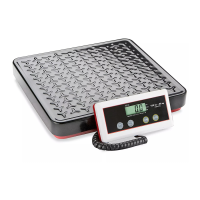
INDUSTRIAL PLATFORM
SCALE
1-800-295-5510
uline.com
π
H-670, H-747
H-794, H-4593
1. Remove scale parts from packaging.
2. Lift the Scale Pan off the Platform Base.
3. Remove the four styrofoam blocks from the Platform
Base. (See Figure 1)
4. Replace the Scale Pan.
Figure 1
Allen Wrench Power Cord Support Bracket Tower Platform Base Display Indicator
PARTS
ASSEMBLY INSTRUCTIONS

Other manuals for U-Line H-670

Question and Answer IconNeed help?

Do you have a question about the U-Line H-670 and is the answer not in the manual?

U-Line H-670 Specifications

General IconGeneral
BrandU-Line
ModelH-670
CategoryScales
LanguageEnglish

Summary

Assembly Instructions

Quick Users Guide: Counting Function

Using the Counting Function

Steps for using the counting function, including selecting sample sizes and placing items.

Calibration Instructions

Activating Weight Calibration Mode

Procedure to activate the weight calibration mode, including jumper settings and display indicators.

Performing Scale Calibration

Steps for setting weight, placing calibrated weight, and confirming calibration.

Related product manuals