EasyManua.ls Logo

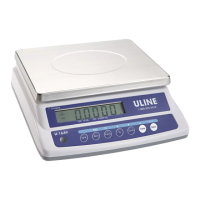
U-Line H-9884 - User Manual

U-Line H-9884
8 pages
Print Icon
To Next Page IconTo Next Page
Loading...
PAGE 1 OF 8 0422 IH-9884
1-800-295-5510
uline.com
H-9884, H-9885
H-9886
BALANCE SCALE
OVERVIEW OF CONTROLS
CONTROL PANEL
NET
No
Units
g
ExitBack
Mode Menu-Cal
Yes
Zero
Print Function Tare
CONTROL FUNCTIONS
BUTTON
FUNCTION
Short Press (when on): Sets display to zero.
(when off): Turns scale on.
Long Press (when on): Turns the scale off.
Short Press (in Menu): Selects/accepts displayed setting.
Long Press: Toggles through active units.
Short Press (in Menu): Toggles through available settings.
Short Press: Selects function setting.
Long Press: Selects active mode.
Short Press (in Menu): Returns to previous settings.
Short Press: Enters/clears a Tare value.
Long Press: Enters user menu.
Short Press (in Menu): Quickly exits user menu.
Zero
Yes
Print
Units
No
Function
Mode
Back
Tare
Menu-Cal
Exit

Questions and Answers

  • C
    Christian PerryAug 19, 2025
    What does Err 8.1 LoAd mean on U-Line Scales and how to fix it?
    • A
      Angela ChaseAug 19, 2025
      If your U-Line Scales display the error 'Err 8.1 LoAd', it indicates that the power on zero range has been exceeded. To resolve this, clear the pan and check the shipping lock setting.
  • T
    Theresa BooneAug 21, 2025
    What does Err 8.2 LoAd mean on U-Line H-9884 Scales?
    • J
      Jessica RiveraAug 21, 2025
      If your U-Line Scales display the error 'Err 8.2 LoAd', it indicates that the power on zero is under range. To fix this, install the pan and check the shipping lock setting.
  • R
    rodriguezandrewAug 23, 2025
    Why my U-Line Scales cannot turn on?
    • S
      seansanchezAug 23, 2025
      If your U-Line Scales are not turning on, the cause might be no power to the scale. Verify the connections and voltage.
  • B
    Brittany RiceAug 26, 2025
    What does Err 8.4 LoAd mean on U-Line H-9884 Scales and how can I resolve it?
    • S
      Sandy JonesAug 26, 2025
      If your U-Line Scales are displaying 'Err 8.4 LoAd', it indicates an under load condition. This means the reading is below the minimum range. Try re-installing the pan.
  • W
    Whitney StewartAug 28, 2025
    How to improve the accuracy of U-Line H-9884?
    • M
      Michael GarzaAug 28, 2025
      If your U-Line Scales are not providing accurate measurements, it could be due to improper calibration or an unstable environment. You should perform a calibration and move the scale to a more suitable location.
  • S
    Sara WatkinsAug 30, 2025
    What does ERR 4.4 FuLL mean on U-Line H-9884 Scales?
    • R
      Rhonda MorganAug 30, 2025
      If your U-Line Scales are displaying 'Err 4.4 FuLL', it indicates that the RS232 Buffer is full. Set Handshake on.
  • R
    Rebecca WilliamsSep 1, 2025
    What does Err 8.6 999999 mean on U-Line H-9884?
    • K
      Kristen JohnsonSep 2, 2025
      If your U-Line Scales are displaying 'Err 8.6 999999', it means the displayed value is greater than 999999. This indicates that the result exceeds the display capability.
  • K
    Kimberly BrewerSep 4, 2025
    What to do if U-Line Scales cannot calibrate?
    • X
      xwoodSep 4, 2025
      If you cannot calibrate your U-Line Scales, it might be due to an unstable environment or using an incorrect calibration weight. Try moving the scale to a stable location and using the correct calibration weight.
  • S
    Stephanie EdwardsSep 6, 2025
    What does Lo rEF mean on U-Line H-9884 and how do I fix it?
    • H
      hernandezkatieSep 6, 2025
      If your U-Line Scales display 'Lo rEF', it means the reference weight is too low. Increase the reference weight.
  • K
    karinamyersSep 8, 2025
    What does Err 3.0 CAL mean on U-Line Scales?
    • R
      Richard DavisSep 8, 2025
      If your U-Line Scales display 'Err 3.0 CAL', it means the calibration weight is incorrect. See Calibration on page 3.

Summary

Control Panel Overview

Control Panel Layout

Provides an overview of the balance scale's control panel layout and display.

Control Button Functions

Details the functions of the Zero, Print Units, Function Mode, and Tare buttons.

Safety and Setup

General Safety Precautions

Emphasizes reading all safety warnings before installation, connection, or servicing to prevent injury.

Scale Transportation Lock

Instructions for unlocking the scale's transportation lock before use.

Proper Scale Location

Guidance on selecting a suitable location for the scale for optimal performance.

Connecting Power Sources

Instructions for connecting the scale to a power source via battery or AC adapter.

Scale Operation Modes

Scale Calibration Procedure

Step-by-step guide for performing span and linearity calibration on the scale.

Weigh Mode Usage

Procedure for using the scale in its standard weighing mode.

Parts Counting Mode

Details on using the scale for counting items based on a reference count.

Checkweigh Mode Setup

Explains setting low and high weight limits for checkweighing applications.

System Settings and Configuration

User Menu Customization

Overview of customizing scale settings through the user menu.

Setup Sub-Menu Options

Details on sub-menu options like backlight, auto-off, and filter settings.

Calibration Sub-Menu

Explains span and linearity calibration procedures accessible in the sub-menu.

Mode, Unit, and Maintenance

Mode and Unit Activation

Activating operational modes like Parts Count and weighing units.

Security Switch Functionality

How the security switch limits user menu changes and secures settings.

Maintenance Safety

Safety warnings and precautions for cleaning the scale.

Troubleshooting and Technical Data

Common Operating Issues

Lists common operating issues, their possible causes, and remedies.

Equipment Ratings

Lists pollution degree, installation category, altitude, and humidity ratings.

Product Specifications

U-Line H-9884 Specifications

General IconGeneral
BrandU-Line
ModelH-9884
CategoryScales
LanguageEnglish

Related product manuals