Installation Guide
Installation Video
- 3 -
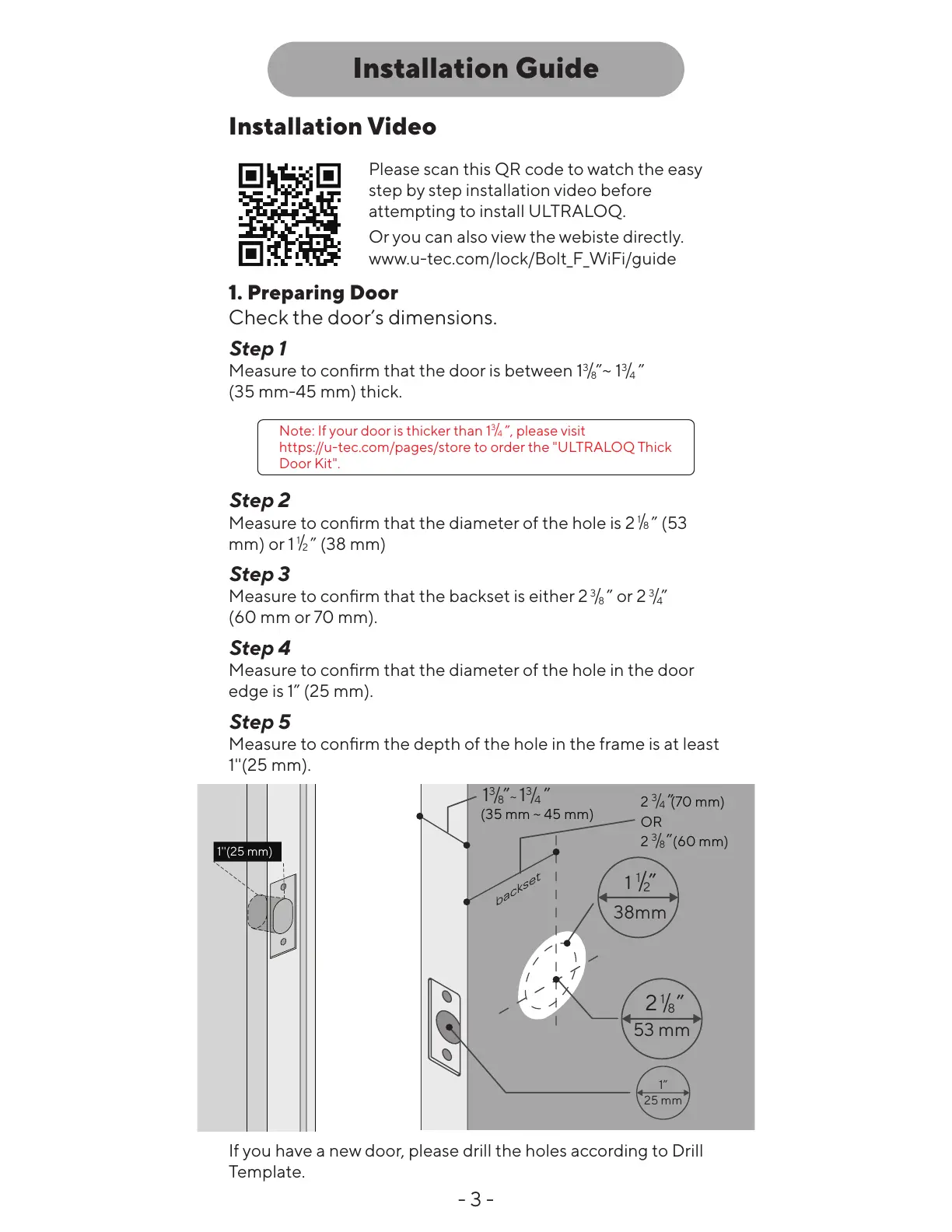
1. Preparing Door
Check the door’s dimensions.
Step 1
Measure to confirm that the door is between
1
3
/
8
”
~
1
3
/
4
”
(35 mm-45 mm) thick.
Step 2
Measure to confirm that the diameter of the hole is
2
1
/
8
”
(53
mm) or
1
1
/
2
”
(38 mm)
Step 3
Measure to confirm that the backset is either
2
3
/
8
” or 2
3
/
4
”
(60 mm or 70 mm).
Step 4
Measure to confirm that the diameter of the hole in the door
edge is
1”
(25 mm).
Step 5
Measure to confirm the depth of the hole in the frame is at least
1''(25 mm).
Note: If your door is thicker than
1
3
/
4
”
, please visit
https://u-tec.com/pages/store to order the "ULTRALOQ Thick
Door Kit".
If you have a new door, please drill the holes according to Drill
Template.
Please scan this QR code to watch the easy
step by step installation video before
attempting to install ULTRALOQ.
Or you can also view the webiste directly.
www.u-tec.com/lock/Bolt_F_WiFi/guide
1”
25 mm
53 mm
(35 mm ~ 45 mm)
1
3
/
8
”
~
1
3
/
4
”
2
3
/
4
”
2
3
/
8
”
(70 mm)
OR
(60 mm)
38mm
1
1
/
2
”
1''(25 mm)
2
1
/
8
”





 To Next Page